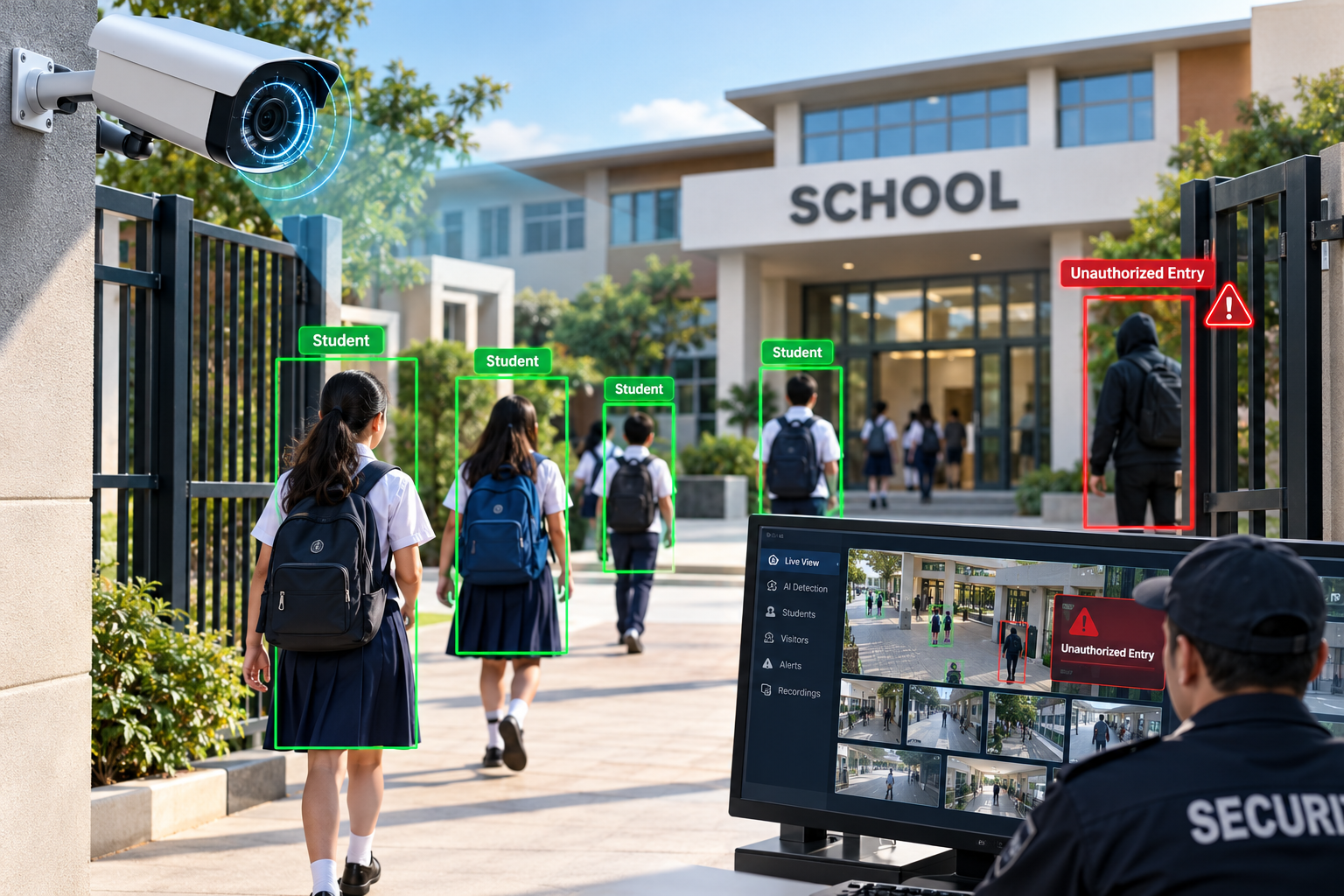

Introduction
Student safety is a top priority for schools, colleges, and educational institutions. As campuses become larger and student activities take place across classrooms, corridors, playgrounds, entrances, and parking areas, maintaining effective security can become increasingly challenging.
Traditional security systems primarily rely on CCTV cameras and security personnel to monitor school premises. Although these systems provide valuable surveillance footage, identifying suspicious activity across multiple camera feeds can be difficult, particularly when security teams need to monitor several areas simultaneously.
AI-based student safety and school security monitoring combines smart CCTV surveillance, computer vision, and intelligent video analytics to help educational institutions identify potential security incidents and respond more efficiently.
These systems can analyze video streams to detect unauthorized entry, monitor restricted areas, identify unattended objects, and generate alerts when predefined security rules are triggered. Depending on the system design, alerts can be sent to authorized security personnel or administrators for further investigation.
However, AI surveillance should support not replace trained security staff, established safeguarding procedures, and emergency response protocols.
What Is AI-Based Student Safety Monitoring?
An AI-based student safety monitoring system uses cameras, computer vision algorithms, and video analytics software to identify predefined events within a school environment.
Unlike traditional CCTV systems that primarily record footage for later review, intelligent video analytics can automatically analyze selected video streams and notify authorized personnel when configured conditions are detected.
For example, a system installed at a school entrance could detect a person entering a restricted staff-only area outside approved hours. It could generate an alert containing the camera location, event time, and relevant video clip for authorized security staff to review.
Common capabilities include:
Unauthorized entry detection
Restricted-area monitoring
Perimeter security monitoring
Crowd density and congestion detection
Detection of objects left unattended
Monitoring of entrances, exits, and access points
Alerts for predefined safety-related events
Searchable security event logs
The exact capabilities depend on camera placement, environmental conditions, the selected AI models, and the system's configuration.
AI monitoring does not automatically determine whether a person intends to cause harm. It identifies visual patterns or predefined events that may require human attention.
Why Schools Need Intelligent Security Monitoring
Educational institutions face several challenges when relying exclusively on manual surveillance.
1. Continuous Monitoring Across Multiple Areas
Schools may operate dozens or hundreds of cameras across buildings, corridors, playgrounds, gates, and parking areas.
Monitoring every feed continuously requires significant staff attention. Important events may be overlooked when security personnel are handling other responsibilities.
AI-assisted video analytics can help prioritize selected events so that security teams can focus their attention where it is needed.
2. Delayed Identification of Security Incidents
When an incident occurs, staff may need to review recorded footage manually to determine what happened and where it occurred.
Intelligent monitoring can identify predefined events as they happen and notify authorized personnel, potentially reducing the time needed to recognize a security concern.
3. Unauthorized Access to Restricted Areas
Schools often have areas reserved for authorized staff, maintenance teams, or administrators.
A computer vision system can monitor these locations and generate alerts when a person enters a designated restricted zone under conditions defined by the institution.
4. Difficulty Managing High-Traffic Areas
School entrances, corridors, stairways, and pickup zones may experience congestion during arrival, breaks, and dismissal.
Video analytics can estimate crowd density or detect congestion patterns, helping staff manage movement and identify areas that may require attention.
5. Time-Consuming Incident Investigations
Locating relevant footage can be difficult when security recordings are spread across multiple cameras and long recording periods.
AI-assisted event indexing can make it easier for authorized personnel to locate recordings using timestamps, camera locations, and predefined event categories.
How AI-Powered School Security Monitoring Works
A typical AI-based student safety monitoring solution combines camera infrastructure, computer vision models, event processing, and a security dashboard.
Step 1: Video Capture Through Smart CCTV Cameras
Existing CCTV cameras or compatible IP cameras capture video from selected areas of the campus.
Camera placement is planned according to security requirements, lighting conditions, viewing angles, and the areas that need monitoring.
The objective is to obtain useful visual coverage without unnecessarily recording private spaces.
Step 2: Real-Time Video Processing
Video streams are sent to an AI processing system deployed on an edge device, an on-premises server, or a suitable cloud infrastructure.
The processing architecture depends on camera capacity, network availability, latency requirements, data protection policies, and operating costs.
Step 3: Object Detection and Tracking
Computer vision models identify relevant objects, such as people, vehicles, or unattended items, within video frames.
Object tracking algorithms can associate detections across consecutive frames to estimate movement and determine whether a person or object crosses a predefined boundary.
For example, the system may track movement toward a restricted gate and generate an event when a configured entry rule is met.
Tracking should be designed to detect relevant movement patterns without unnecessarily identifying individual students.
Step 4: Rule-Based Event Detection
The system evaluates detected objects and movement against predefined security rules.
Examples include:
A person enters a restricted zone outside permitted hours.
A person crosses a virtual boundary at an unauthorized access point.
Crowd density exceeds a configured threshold in a monitored corridor.
An object remains unattended in a designated area for longer than a defined period.
The system may use a combination of computer vision, tracking, time-based rules, and additional sensors.
Step 5: Alert Generation
When a rule is triggered, the application creates an event containing relevant information, such as the camera location, timestamp, event category, and a link to the associated recording.
Authorized security staff may receive alerts through a web dashboard, mobile application, or another approved notification channel.
Alert thresholds should be calibrated to reduce false alarms and ensure that important events receive appropriate attention.
Step 6: Human Review and Response
Security personnel review the alert and determine whether further action is necessary.
Depending on the situation, they may contact school administrators, verify the circumstances, follow safeguarding procedures, or initiate an established emergency response protocol.
Human verification is essential: a computer vision alert is an indication that an event may have occurred, not proof of misconduct or an emergency.
Step 7: Secure Event Records and Reporting
The application records relevant events and review outcomes according to the school's retention and access policies.
A dashboard can help authorized administrators understand incident patterns, recurring security issues, and monitoring system performance.
Key Applications of Computer Vision in School Safety
1. Unauthorized Entry Detection
Unauthorized access is a major concern for educational institutions, particularly at entrances, service gates, staff-only areas, and restricted campus zones.
AI-powered cameras can detect people crossing virtual boundaries and identify movement into areas where access is not permitted under configured rules.
For example, a camera monitoring a school service entrance could generate an alert when a person enters the area outside its approved operating hours.
Key benefits:
Faster identification of potential access violations
Improved visibility across designated entrances
Automated security event logging
Reduced dependence on continuous manual observation
The system should complement access-control devices, visitor registration procedures, and physical security measures.
2. Restricted-Area Monitoring
Certain school areas may require additional monitoring, such as equipment rooms, maintenance zones, server rooms, or staff-only facilities.
Computer vision can detect entry into designated zones and generate alerts based on schedules or access rules.
For example, an AI camera may identify a person entering a maintenance area after the facility has closed.
Where identity verification is required, it should be handled through appropriate access-control systems rather than inferred solely from appearance.
3. School Perimeter Security
School boundaries, parking areas, and external entrances may require monitoring outside regular school hours.
Computer vision can detect movement within designated perimeter zones and distinguish certain object categories, such as people and vehicles.
The system can generate alerts when predefined conditions are met, helping security teams investigate possible perimeter breaches.
Performance may vary depending on lighting, weather, camera resolution, obstructions, and the distance between the camera and the monitored area.
4. Crowd Density and Congestion Monitoring
Large gatherings can occur during school arrival, lunch breaks, sports events, and dismissal.
Computer vision can estimate the number of people within a monitored area and identify when crowd density exceeds configured thresholds.
For example, a school administrator could receive an alert when a corridor becomes unusually congested during dismissal.
This information can help staff redirect movement, open alternative routes, or investigate possible obstructions.
Crowd monitoring should focus on aggregate movement and density wherever possible, rather than identifying individual students.
5. Unattended Object Detection
Unattended objects in selected public areas may require investigation, depending on the context.
Computer vision systems can identify objects that remain in a designated location for a configured duration and flag them for review.
For example, an item left near a main entrance may trigger an alert for security staff to inspect.
These detections can produce false positives because ordinary belongings may remain stationary for extended periods. Human assessment and established safety procedures are therefore necessary.
6. School Bus and Vehicle Movement Monitoring
School entrances and pickup zones often involve school buses, staff vehicles, parents, and pedestrians.
Computer vision can help monitor vehicle entry and exit, estimate traffic flow, and record vehicle movement events.
Where appropriate and legally permitted, license plate recognition may be used to support authorized vehicle access or entry logging.
Vehicle monitoring should be configured with appropriate data retention, access restrictions, and safeguards for information relating to students and families.
7. Emergency Exit and Evacuation Route Monitoring
Computer vision can help identify visible obstructions or unusual congestion near designated emergency routes.
For example, a system may detect objects blocking a monitored exit area or identify congestion near a corridor during a drill.
Such systems should be tested under realistic conditions and must not replace certified fire safety equipment, emergency alarms, evacuation planning, or trained personnel.
8. Incident Review and Video Search
When a security incident occurs, staff may need to identify the relevant camera and time period.
AI-assisted video indexing can organize event metadata and help authorized personnel search recordings using timestamps, locations, and detected event types.
This can reduce the effort involved in reviewing large volumes of footage.
Access to recorded material should be restricted to authorized individuals, particularly when footage includes minors.
Technologies Used in AI-Based School Security Systems
An effective solution combines multiple technologies rather than relying on a single AI model.
Computer Vision
Computer vision enables software to interpret images and video streams. It provides the foundation for object detection, movement analysis, and visual event recognition.
Object Detection
Object detection models identify objects within individual video frames and estimate their locations.
Models such as YOLO can be configured to detect relevant categories, including people and vehicles. Model selection depends on the required accuracy, processing speed, hardware, and deployment environment.
Object Tracking
Tracking algorithms associate detections across consecutive frames to estimate movement.
Solutions such as ByteTrack can help maintain object tracks and support virtual line-crossing, zone-entry, and movement analysis.
Tracking an object across a camera feed does not necessarily require identifying the person's real-world identity.
Image and Video Analytics
Image processing techniques can help improve frame quality, define regions of interest, and support the analysis of events under varying environmental conditions.
Video analytics combines these techniques with detection, tracking, and event rules.
Edge AI
Edge AI processes video close to the camera, such as on an edge device or local server.
This can reduce network traffic and support lower-latency alerts. It may also help limit the amount of raw video sent to external systems, depending on the architecture.
Cloud and On-Premises Infrastructure
Cloud infrastructure can support centralized administration and reporting across multiple campuses.
On-premises deployments can provide greater control over local processing and data storage. Hybrid architectures may combine local video analysis with centralized event reporting.
The appropriate design depends on school policy, data protection requirements, network reliability, and budget.
Dashboard and Alert Integration
A web-based security dashboard can display camera status, alert history, event details, and system health.
Integration with existing CCTV platforms, access-control systems, or approved notification services can help security personnel manage events within established workflows.
Benefits of AI-Based Student Safety Monitoring
Improved Security Awareness
AI video analytics can help security teams identify predefined events across multiple monitored locations.
This supports more consistent visibility into potential security concerns.
Faster Alerting
Automated event detection can notify authorized staff when configured conditions occur, reducing the need to discover every incident through manual footage review.
Reduced Manual Monitoring Effort
Security personnel can use event-based alerts to prioritize their attention instead of continuously watching every video feed.
More Efficient Incident Investigation
Searchable event records and timestamps can help staff locate relevant footage and review incidents more efficiently.
Better Operational Planning
Aggregate information about congestion, frequently triggered alerts, and recurring access events can help administrators identify areas that require changes to security procedures or campus operations.
Integration With Existing Infrastructure
Depending on camera compatibility and software architecture, AI analytics may be added to some existing CCTV infrastructure, potentially avoiding the need to replace every camera.
A technical assessment is necessary to determine whether existing cameras provide adequate resolution, frame rates, viewing angles, and integration support.
Challenges and Limitations
AI-based monitoring can support school security, but it also introduces technical, operational, and ethical challenges.
False Positives and Missed Events
AI models may generate false alerts or fail to detect relevant activity because of occlusion, poor lighting, camera placement, or unusual movement.
Recommended approach: Test the system with representative campus footage, calibrate thresholds, and maintain human review procedures.
Lighting and Environmental Conditions
Rain, glare, shadows, nighttime conditions, and changing outdoor environments can affect detection performance.
Recommended approach: Select suitable cameras, plan installation carefully, and test performance during different times of day and weather conditions.
Privacy of Students and Staff
Schools handle sensitive information about minors, employees, visitors, and families. Excessive monitoring can undermine trust and may conflict with legal or institutional requirements.
Recommended approach: Conduct a privacy impact assessment where appropriate, define legitimate purposes, avoid unnecessary recording, restrict access, and communicate surveillance policies clearly.
Network and Processing Limitations
High-resolution video streams can require substantial bandwidth and computing resources.
Recommended approach: Evaluate camera count, video resolution, frame rates, processing requirements, and network capacity before deployment.
System Maintenance
Changes in camera position, campus layout, lighting, or activity patterns may affect model performance.
Recommended approach: Monitor detection quality, review false alerts, maintain software, and retest the system after significant changes.
Privacy, Ethics, and Responsible AI in School Surveillance
Privacy should be a core requirement of any AI-based school security project, particularly when minors are involved.
Educational institutions should consider the following safeguards.
Purpose limitation: Use surveillance only for clearly defined and legitimate security objectives.
Data minimization: Process only the information necessary to achieve those objectives. Consider event metadata or aggregate counts instead of retaining unnecessary video.
Restricted access: Allow only authorized personnel to view recordings, alerts, and incident reports.
Limited retention: Define how long video and event records should be stored, with appropriate deletion procedures.
Transparency: Inform relevant stakeholders about surveillance practices, subject to applicable legal requirements.
Avoid unnecessary biometric identification: Person detection and movement tracking should not automatically be combined with facial recognition or identity matching. Any biometric use requires a separate legal, privacy, and necessity assessment.
Human oversight: Do not make disciplinary, safeguarding, or other consequential decisions solely on the basis of an automated alert.
Regular evaluation: Assess false positives, missed events, performance differences across operating conditions, and whether the system remains necessary and proportionate.
The applicable legal requirements vary by country, state, and school type. Institutions should obtain appropriate legal and data protection guidance before deploying surveillance systems.
How to Implement an AI-Based School Security Monitoring System
A structured implementation process helps educational institutions develop a solution that meets real operational requirements.
Step 1: Identify Security Requirements
Determine which campus areas need monitoring and what specific events the system should detect.
Possible priorities include restricted-area entry, perimeter movement, entrance congestion, and event-based video search.
Step 2: Assess Existing CCTV Infrastructure
Review available cameras, network connectivity, recording systems, viewing angles, lighting conditions, and video quality.
Identify which cameras can support AI analytics and where additional equipment may be necessary.
Step 3: Select Appropriate Computer Vision Models
Choose detection and tracking approaches according to the required use cases and available hardware.
Evaluate the models against representative video from the intended environment rather than relying only on generic benchmark results.
Step 4: Configure Event Rules
Define monitored zones, virtual boundaries, permitted time windows, alert thresholds, and escalation procedures.
Rules should be specific enough to produce useful alerts while avoiding excessive notifications.
Step 5: Develop the Dashboard and Integrations
Build or configure the application used by security personnel to view alerts, review event clips, manage access permissions, and record investigation outcomes.
Integrate with existing systems where supported and necessary.
Step 6: Test Accuracy, Privacy, and Reliability
Evaluate detection performance, false alert rates, processing latency, network reliability, access permissions, and data retention.
Test realistic conditions, including busy corridors, changing lighting, partially obscured objects, and different campus schedules.
Step 7: Run a Controlled Pilot
Start with a limited number of cameras or one campus area.
Collect feedback from security personnel, assess operational usefulness, and refine the system before expanding deployment.
Step 8: Deploy and Monitor Continuously
Roll out the solution in stages, train authorized users, and establish ongoing monitoring and maintenance procedures.
Review system performance periodically to ensure that the technology continues to meet the school's safety and privacy requirements.
Real-World Example: Smart CCTV Monitoring at a School Entrance
Consider a school that wants to improve visibility around a service entrance used by authorized staff and delivery personnel.
The school installs a compatible IP camera and connects it to an AI video analytics application.
The system detects people and vehicles, monitors a defined entrance zone, and applies a time-based rule. If a person enters the restricted zone outside approved hours, the application creates an event and sends a notification to authorized security staff.
The security team reviews the associated footage, verifies the situation, and follows the school's established response procedure if necessary.
The application records the event time, camera location, review outcome, and any required follow-up action.
This example illustrates how computer vision can support an existing security process. It is an illustrative scenario, not a claim of a verified customer deployment or a guarantee that every unauthorized entry will be detected.
Future of AI-Powered School Security
AI-based school security is evolving toward more integrated, context-aware monitoring systems.
Developments in edge AI may enable more video processing to take place locally, while improved computer vision models can support more reliable detection under challenging conditions.
Integration with access-control systems, visitor management, and security dashboards may also help institutions organize information across different campus operations.
However, technological advancement does not remove the need for careful governance. Future systems should prioritize reliable detection, privacy-preserving design, transparent policies, and appropriate human oversight.
The most effective school security solution is not necessarily the one that monitors the most information. It is the one that addresses clearly defined safety needs while respecting the rights and privacy of students, staff, and visitors.
Conclusion
AI-based student safety and school security monitoring can help educational institutions improve security awareness, identify predefined events, organize surveillance footage, and support faster investigation.
By combining smart CCTV cameras, computer vision, object detection, tracking algorithms, and event-based alerts, schools can strengthen selected security workflows and reduce some of the burden of manual monitoring.
Successful implementation requires careful camera planning, realistic performance testing, secure data handling, clear alert procedures, and ongoing maintenance.
Most importantly, AI surveillance should complement trained security personnel and established safeguarding practices rather than replace human judgment.
The Unique IT Solution helps businesses explore custom computer vision, AI/ML development, video analytics, and intelligent automation solutions tailored to operational requirements. Educational institutions considering AI-based security monitoring should begin with a clear use case, a privacy-conscious design, and a controlled pilot to evaluate whether the technology provides meaningful benefits.
Frequently Asked Questions
1. What is an AI-based student safety monitoring system?
It is a video analytics solution that uses cameras and computer vision to detect predefined security events, such as restricted-area entry or unusual congestion, and notify authorized personnel.
2. How does AI improve school CCTV surveillance?
AI can automatically analyze video streams for configured events, generate alerts, and organize event records, helping security staff prioritize their attention and review footage more efficiently.
3. Can computer vision detect unauthorized entry in schools?
Yes. A system can detect people crossing virtual boundaries or entering defined zones and apply rules based on location and time. Detection accuracy depends on camera placement, lighting, and model performance.
4. Which technologies are used in AI-based school security?
Common technologies include computer vision, object detection, object tracking, video analytics, edge AI, IP cameras, and event management dashboards.
5. Can AI monitor school corridors and playgrounds?
AI can support selected monitoring tasks in corridors and playgrounds, including aggregate crowd density estimation and detection of predefined events. Institutions should evaluate necessity, proportionality, privacy, and potential false alerts before deployment.
6. Does AI school surveillance require facial recognition?
No. Many security use cases can operate with object detection, movement tracking, virtual boundaries, and event rules without identifying individuals by face.