
Introduction
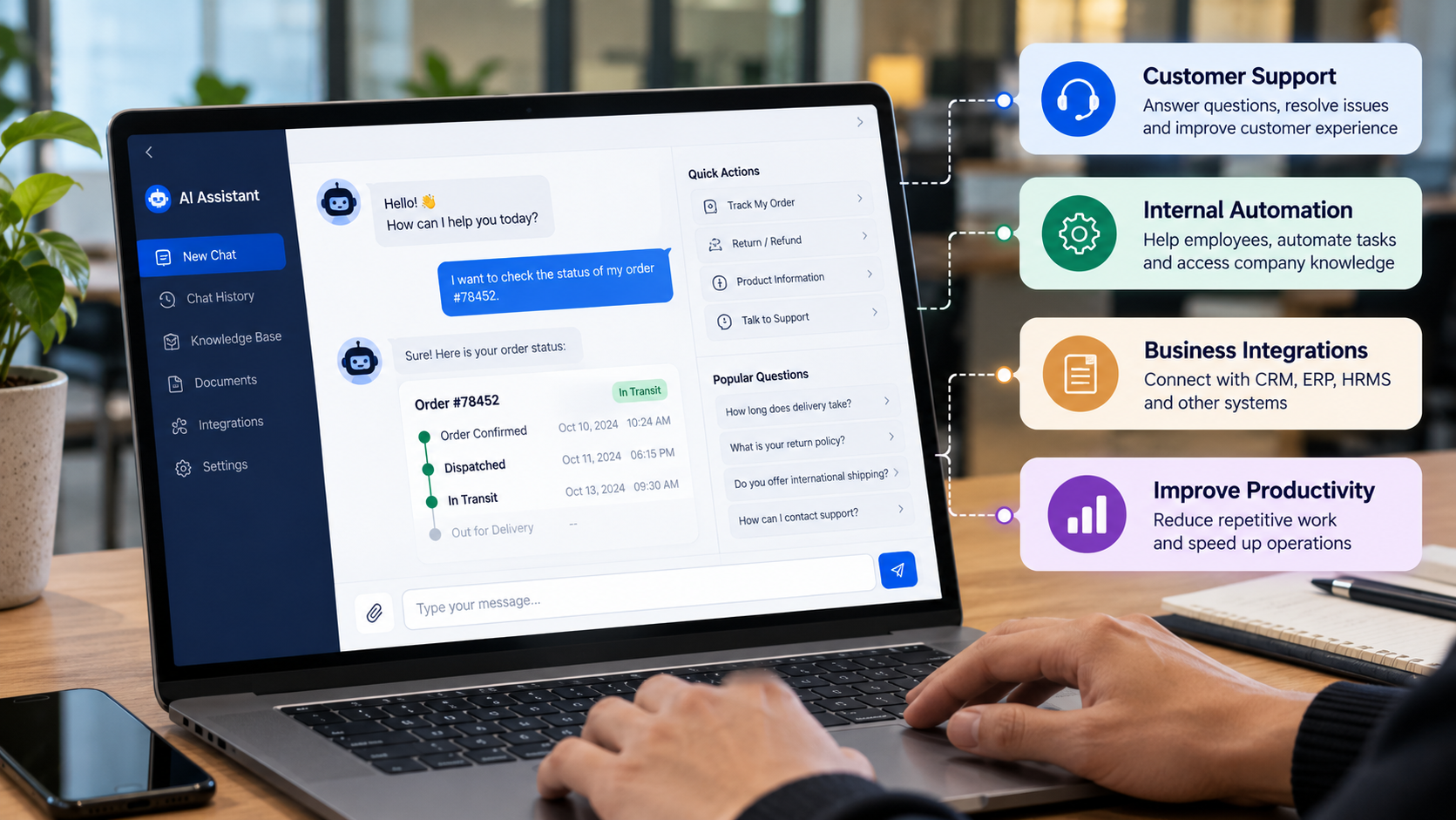
Businesses handle hundreds of conversations every day. Customers ask about products, pricing, orders, appointments, and support requests. Meanwhile, employees spend valuable time searching for documents, checking company policies, finding project information, and answering repetitive internal questions.
Traditional chatbots can handle predefined questions, but they often struggle when users ask something outside their programmed responses. Employees may still need to search multiple systems, and customers may have to wait for a support representative to become available.
AI chatbot development offers a more flexible approach to business communication and workflow automation.
Modern AI chatbots can understand natural-language questions, retrieve relevant information from approved knowledge sources, connect with business applications, and assist with repetitive tasks. Depending on the implementation, they can support customer service, sales, HR, IT support, document management, and internal operations.
The objective is not simply to add a chat window to a website. It is to build a solution that helps people access information, complete tasks, and interact with business systems more efficiently.
This guide explains how AI chatbot development works, its major business applications, the technologies involved, implementation challenges, and the factors that influence development costs.
What Is AI Chatbot Development?
AI chatbot development is the process of designing, building, integrating, and maintaining conversational software that uses artificial intelligence to understand user requests and provide relevant responses or perform supported actions.
Unlike traditional rule-based chatbots, AI-powered chatbots can use natural language processing, large language models (LLMs), knowledge retrieval, and business integrations to handle a broader range of conversations.
Depending on the business requirement, an AI chatbot may be designed to:
Answer customer questions using approved information.
Recommend relevant products or services.
Retrieve information from internal company documents.
Check order, booking, or service status.
Create support tickets and route requests.
Summarize documents and conversations.
Help employees find company policies and procedures.
Connect with CRM, ERP, HRMS, and other business applications.
Assist with multi-step workflows under defined permissions.
The capabilities depend on the underlying architecture, the quality of available information, connected systems, and the controls implemented.
For example, a customer support chatbot may answer questions about delivery policies, while an internal employee chatbot may retrieve an HR policy or create an IT support ticket. Both use conversational interfaces, but their data sources, permissions, and workflows differ.
How AI Chatbots Are Different From Traditional Chatbots
Traditional chatbots generally rely on predefined rules, decision trees, keywords, or fixed question-and-answer flows.
AI chatbots can interpret variations in natural language and use contextual information to produce more relevant responses.
AI chatbots are not automatically more accurate in every situation. They can generate incorrect information, misunderstand requests, or fail when relevant data is unavailable. A reliable solution combines AI capabilities with controlled data access, business rules, testing, and human escalation.
Why Businesses Are Investing in AI Chatbot Development
1. High Customer Support Volumes
Customer support teams frequently receive similar questions about pricing, product availability, account access, delivery status, returns, and service procedures.
An AI chatbot can handle supported routine inquiries and direct more complex requests to the appropriate team.
2. Repetitive Internal Questions
Employees often ask HR, IT, finance, and operations teams for information that already exists in company documents or business systems.
An internal AI chatbot can help employees find approved information without manually searching multiple folders or contacting different departments.
3. Information Spread Across Multiple Systems
Business information may be distributed across CRM platforms, ERP applications, project management tools, shared documents, and databases.
A properly integrated chatbot can provide a conversational interface for retrieving information from these systems, subject to user permissions.
4. Delays in Routine Workflows
Tasks such as creating support tickets, collecting customer details, checking order status, and routing requests can involve several manual steps.
Chatbots connected to backend services can automate selected steps while preserving approval and review requirements.
5. Difficulty Accessing Business Knowledge
Company policies, technical documentation, product manuals, and operational procedures can be difficult to search efficiently.
AI chatbots using retrieval-based knowledge systems can help users locate relevant information and provide answers supported by approved documents.
Customer-Facing AI Chatbots: Improving Customer Support
Customer-facing chatbots are among the most common applications of conversational AI.
They provide an additional channel for customers to obtain information, submit requests, and access supported services.
1. Automated Customer Support
A customer support chatbot can answer frequently asked questions about products, services, pricing policies, operating hours, returns, warranties, and troubleshooting procedures.
For example, a customer visiting an electronics website might ask:
"Can I return a product if it stops working within the warranty period?"
The chatbot can retrieve the relevant warranty policy and explain the applicable process. If the question requires a decision or the policy does not cover the situation, it can route the customer to a support representative.
2. Order and Delivery Tracking
An AI chatbot integrated with an order management system can retrieve shipment information after appropriate authentication.
Customers may ask:
Where is my order?
Has my shipment been dispatched?
What is the expected delivery date?
Can I request a delivery change?
The chatbot can retrieve the latest available status from the relevant API rather than relying on a static response.
Sensitive changes, such as updating a delivery address, should require the appropriate verification and authorization.
3. Lead Qualification and Sales Assistance
Sales chatbots can collect information about a prospect's requirements, identify the relevant service category, and route qualified inquiries to the sales team.
For a software development company, a chatbot might ask about the type of application, required integrations, expected timeline, and key business objectives.
The collected information can then be recorded in a CRM system, subject to the user's consent and the company's data-handling policies.
4. Appointment Booking
A chatbot connected to a scheduling system can help users find available time slots, book appointments, and receive confirmations.
Applications include:
Healthcare appointment administration
Product demonstrations
Consultation scheduling
Repair and maintenance bookings
Service appointments
The chatbot should check actual availability through the connected system before confirming a booking.
5. Multilingual Customer Assistance
For businesses serving international markets, multilingual chatbot capabilities can make information more accessible to customers who prefer different languages.
The implementation should test terminology, translations, regional expressions, and language-specific accuracy. Important contractual, medical, financial, or legal information may require additional review.
Internal AI Chatbots: Automating Business Operations
Internal chatbots are designed for employees rather than external customers. They can help staff retrieve company information and interact with business applications through a conversational interface.
Their value often comes from reducing the time required to locate information and complete repetitive operational tasks.
1. HR Chatbot for Employee Self-Service
HR departments receive recurring questions about leave policies, attendance, holidays, onboarding, benefits, and company procedures.
An HR chatbot can answer questions using approved policy documents and, when integrated with an HRMS, retrieve authorized employee-specific information.
Possible capabilities include:
Explaining leave and attendance policies
Retrieving holiday calendars
Guiding employees through onboarding
Providing links to HR forms
Explaining benefits and workplace procedures
Helping employees submit HR requests
Employee-specific information should only be displayed after the appropriate authentication and permission checks.
2. IT Helpdesk Chatbot
IT teams frequently handle requests involving password resets, software installation, access permissions, network issues, and application troubleshooting.
An internal IT chatbot can guide employees through approved troubleshooting procedures and create support tickets when further assistance is required.
For example:
An employee reports that a business application is not opening. The chatbot collects the error message, checks the approved troubleshooting guide, suggests the relevant steps, and creates a ticket if the issue remains unresolved.
Administrative actions such as changing permissions or resetting credentials should use secure, authorized workflows rather than unrestricted AI-generated commands.
3. Finance and Accounting Chatbot
Finance teams manage invoices, expense claims, purchase requests, payment statuses, and internal financial procedures.
A finance chatbot can help employees locate expense policies, understand invoice submission requirements, and check the status of authorized requests.
When integrated with accounting software or an ERP system, it may also retrieve approved records and prepare information for review.
Financial transactions, payment approvals, and changes to vendor banking details should remain subject to appropriate controls and authorization.
4. Project Management Chatbot
Project teams often spend time searching for project updates, meeting notes, requirements, deadlines, and task assignments.
A project management chatbot connected to approved project data can help users ask questions such as:
What are the pending tasks for this project?
Which requirements are awaiting approval?
What decisions were recorded in the last meeting?
Which milestones are approaching?
What are the current project risks?
The chatbot can retrieve information from connected project management tools and documentation repositories. Answers should identify the relevant source or record whenever possible.
5. Knowledge Management Chatbot
Large organizations may maintain extensive documentation covering policies, standard operating procedures, technical manuals, training material, and internal processes.
A knowledge management chatbot helps employees search this information through natural-language questions.
Instead of searching for an exact document title, an employee can ask:
"Which steps must be completed before a new customer account is activated?"
The chatbot can retrieve the relevant procedure and summarize the steps with links or references to the source document.
This approach is particularly useful when documents are spread across approved repositories and employees need a faster way to find reliable information.
What Is RAG in AI Chatbot Development?
Retrieval-Augmented Generation (RAG) is an architecture that allows an AI chatbot to retrieve relevant information from an external knowledge source before generating a response.
It is useful when a business needs answers based on its own documents, policies, manuals, or frequently updated information.
A typical RAG workflow includes the following steps.
Step 1: Collect Knowledge Sources
Relevant documents are collected from approved sources, such as PDFs, Word files, knowledge bases, product manuals, and internal policies.
Step 2: Process and Index Documents
The system extracts text, divides documents into manageable sections, and creates searchable representations. These may include embeddings stored in a vector database or a combination of keyword and semantic search.
Step 3: Understand the User's Question
The chatbot processes the question and identifies the information needed to answer it.
Step 4: Retrieve Relevant Information
The retrieval layer searches the approved knowledge sources for relevant passages. Access controls should ensure that users cannot retrieve documents they are not authorized to view.
Step 5: Generate a Grounded Answer
The language model uses the retrieved information to prepare a response. Depending on the design, the answer can include document citations or links.
Step 6: Handle Missing Information
If the available sources do not support an answer, the chatbot should acknowledge the limitation or direct the user to an appropriate person instead of inventing a response.
RAG can improve the relevance and traceability of chatbot responses, but it does not guarantee correctness. Retrieval quality, document freshness, access controls, and answer validation remain important.
AI Chatbots and Business System Integration
A chatbot becomes more useful when it can securely access the information and functions required to complete a task.
Common integration targets include:
Business System | Potential Chatbot Capabilities |
CRM | Retrieve authorized customer records, summarize interactions, and create leads |
ERP | Check approved order, inventory, and procurement information |
HRMS | Answer policy questions and assist with employee requests |
Helpdesk | Create tickets, retrieve ticket status, and categorize issues |
Project Management | Retrieve tasks, milestones, and project updates |
E-commerce | Check product availability, order status, and return procedures |
Accounting Software | Retrieve authorized invoice or expense information |
Document Management | Search approved files and summarize relevant content |
Email and Calendar | Draft messages, find authorized meeting information, and assist with scheduling |
Integration commonly involves APIs, authentication, authorization, data transformation, and backend services.
The chatbot should not have unrestricted access to connected applications. Each action should use the minimum permissions required, and sensitive operations should include appropriate confirmation, approval, and audit logging.
AI Chatbots vs. AI Agents: What Is the Difference?
An AI chatbot primarily provides a conversational interface for answering questions and assisting users. It may also call approved tools or APIs to complete tasks.
An AI agent is generally designed to pursue a defined goal by coordinating multiple steps, using tools, evaluating intermediate results, and deciding what to do next within configured boundaries.
For example, a customer support chatbot may explain how to request a refund. A more advanced agent workflow might retrieve the order, check the applicable return policy, prepare a refund request, and submit it for approval.
These capabilities can overlap. Not every chatbot needs an agent architecture, and not every workflow should be fully autonomous.
For many businesses, a focused chatbot with reliable knowledge retrieval and a small set of secure integrations is a better starting point than a complex agent system.
Technology Stack for AI Chatbot Development
The appropriate technology stack depends on the chatbot's use case, expected traffic, integrations, data sensitivity, and deployment requirements.
Technology | Role in Development |
Python | AI orchestration, data processing, and backend development |
Large Language Models | Natural-language understanding and response generation |
NLP Libraries | Text processing, classification, and language-related tasks |
LangChain or LlamaIndex | Building retrieval and LLM application workflows where appropriate |
Vector Databases | Semantic retrieval from indexed knowledge sources |
PostgreSQL / Microsoft SQL Server | Structured application data and conversation metadata |
FastAPI | Backend APIs and integration services |
React / Angular | Web-based chatbot interfaces and administrative dashboards |
REST APIs / Webhooks | Communication with business applications |
Cloud or On-Premises Infrastructure | Hosting, deployment, and data processing |
Monitoring and Logging Tools | Tracking errors, latency, usage, and system performance |
Depending on the requirements, a solution may use a hosted language model, a self-hosted model, or a combination of models and conventional software components.
Technology selection should be driven by measurable business requirements rather than by choosing the largest or newest model.
How to Develop an AI Chatbot for a Business
A structured development process helps align the chatbot with real business needs and reduces unnecessary complexity.
Phase 1: Requirement Analysis
Identify the primary business problem and define the chatbot's intended users.
Key questions include:
Is the chatbot intended for customers or employees?
Which questions should it answer?
Which tasks should it complete?
What information can it access?
Which business systems need integration?
When should a request be transferred to a human?
How will success be measured?
The output should be a clear scope, supported use cases, functional requirements, and acceptance criteria.
Phase 2: Knowledge and Data Assessment
Identify the information required by the chatbot and assess its quality, ownership, freshness, and access restrictions.
Documents may need to be cleaned, categorized, deduplicated, or updated before they can provide reliable answers.
Phase 3: Solution Architecture
Select the appropriate combination of language models, retrieval methods, databases, backend services, and integration mechanisms.
The architecture should define authentication, authorization, error handling, logging, retention, and escalation behavior.
Phase 4: Chatbot Development
Build the conversational interface and implement the required workflows.
This may include:
Question answering
RAG-based document retrieval
Conversation context management
API integration
User authentication
Ticket creation
Structured information collection
Human handoff
Administrative configuration
Phase 5: Testing and Validation
Test the chatbot against realistic questions, incomplete requests, ambiguous instructions, incorrect assumptions, and unauthorized access attempts.
Important evaluation areas include answer correctness, retrieval relevance, response latency, task completion, security, and the handling of unsupported questions.
Phase 6: Deployment and Integration
Deploy the solution in the selected environment and connect it to approved business systems.
Access permissions, production monitoring, operational ownership, and recovery procedures should be established before release.
Phase 7: Continuous Improvement
Review chatbot conversations and performance metrics to identify recurring failures, missing information, and opportunities to improve workflows.
Knowledge sources, prompts, retrieval settings, and models may need updates as business requirements change.
Security and Governance Considerations
Security should be part of the chatbot architecture from the beginning.
Important safeguards include:
Authentication: Verify users before exposing protected information.
Role-based access: Restrict information and actions according to user permissions.
Data minimization: Avoid collecting unnecessary personal or confidential information.
Secure integrations: Use controlled APIs, scoped credentials, and appropriate secret management.
Source grounding: Prefer responses based on approved business information when accuracy and traceability matter.
Human oversight: Require review for sensitive or high-impact decisions.
Prompt-injection protection: Prevent untrusted user input or retrieved documents from overriding system policies.
Audit logging: Record important actions and relevant events while protecting sensitive data.
Retention controls: Define how conversation data and logs are stored and deleted.
Performance monitoring: Track incorrect answers, failed actions, latency, and changes in usage patterns.
Businesses should also evaluate the privacy, security, and contractual terms of third-party AI providers, particularly when processing confidential or regulated information.
How to Measure AI Chatbot Performance
A chatbot should be evaluated using business outcomes as well as technical metrics.
Metric | What It Measures |
Resolution Rate | Share of supported requests resolved without additional assistance |
Task Completion Rate | Share of intended workflows completed successfully |
Answer Accuracy | Correctness of responses against an approved evaluation set |
Escalation Rate | Share of conversations transferred to a human |
Response Latency | Time taken to provide a response |
User Satisfaction | Feedback from customers or employees |
Retrieval Relevance | Whether the system retrieves useful supporting information |
Cost per Conversation | Average cost of serving a conversation |
Error Rate | Frequency of failed integrations, actions, or processing steps |
These metrics should be interpreted together. A low escalation rate is not necessarily positive if the chatbot is giving incorrect answers instead of transferring difficult requests to a human.
Organizations should establish a baseline before deployment and compare results against clearly defined targets.
How Much Does AI Chatbot Development Cost?
The cost of AI chatbot development varies depending on the scope and complexity of the solution.
A basic FAQ chatbot is generally less complex than an enterprise chatbot that uses internal documents, connects to multiple applications, and performs controlled business actions.
Key cost factors include:
Number and complexity of use cases
Choice of language model and hosting approach
Data preparation and knowledge-base development
RAG and retrieval requirements
Number of business system integrations
Authentication and authorization requirements
Web or mobile interface requirements
Security, testing, and governance needs
Expected conversation volume
Ongoing maintenance and monitoring
Recurring costs may include model usage, hosting, vector search, third-party API services, monitoring, and support.
A reliable estimate should follow requirements discovery and a technical assessment. The scope should distinguish the initial implementation from recurring operational expenses.
Common Challenges in AI Chatbot Development
1. Incorrect or Unsupported Answers
Language models can generate responses that sound convincing but are incorrect.
Approach: Use approved knowledge sources, retrieval evaluation, response testing, and clear fallback behavior.
2. Poor Document Quality
Outdated, duplicated, or inconsistent documents can lead to incomplete or conflicting answers.
Approach: Establish document ownership, content review procedures, and an update process.
3. Difficult System Integrations
Legacy applications may have limited APIs or inconsistent data structures.
Approach: Assess integration feasibility early and build controlled backend services where needed.
4. Data Privacy and Access Risks
A chatbot may expose confidential information if identity and authorization checks are not properly implemented.
Approach: Apply least-privilege access, permission-aware retrieval, secure credentials, and appropriate audit controls.
5. Unclear Business Objectives
Building a chatbot without a defined business problem can result in a solution that attracts little usage or delivers limited value.
Approach: Start with a specific use case and establish measurable acceptance criteria before development.
6. Employee and Customer Adoption
Users may avoid a chatbot if it is difficult to use or frequently gives unhelpful answers.
Approach: Test with real users, provide clear escalation options, and improve the experience using measured feedback.
Future Trends in Business AI Chatbots
AI chatbot development is moving beyond simple question answering toward more connected business workflows.
Several areas are receiving growing attention:
Multimodal chatbots: Interfaces that can work with supported combinations of text, images, documents, and voice.
Enterprise knowledge assistants: Chatbots that retrieve information from approved company repositories and provide source references.
AI agents: Systems that coordinate defined multi-step workflows through controlled tools and APIs.
Voice-based business assistants: Conversational interfaces for customer service, contact centers, and selected employee workflows.
Personalized assistance: Responses adapted to a user's authorized context, role, or current task.
Workflow orchestration: Chatbots that coordinate multiple systems while respecting approval rules and business policies.
Private and hybrid AI deployments: Architectures designed to address particular data residency, privacy, security, and infrastructure requirements.
The most useful developments will be those that solve real business problems reliably rather than simply adding more AI features.
Conclusion
AI chatbot development is becoming an important part of business automation, customer experience, and internal knowledge management.
Customer-facing chatbots can answer routine questions, assist with product discovery, retrieve order information, and support appointment scheduling. Internal chatbots can help employees access company knowledge, navigate HR and IT procedures, retrieve project information, and interact with business systems.
More advanced implementations can combine retrieval-augmented generation, secure APIs, and controlled agent workflows to support multi-step tasks.
However, a successful chatbot requires more than a language model. Reliable knowledge sources, secure integrations, appropriate permissions, human escalation, testing, and continuous monitoring are essential.
The most practical approach is to begin with a clearly defined business use case, measure its performance, and expand only when the solution demonstrates meaningful value.
Planning an AI Chatbot for Your Business?
Start by identifying the repetitive questions, information gaps, or manual workflows that create the greatest operational burden. A focused AI chatbot can provide a practical starting point for improving customer support, employee self-service, and business process efficiency.
Explore custom AI chatbot development and integration options to determine the right architecture for your business requirements.
Frequently Asked Questions
1. What is AI chatbot development?
AI chatbot development involves building conversational software that uses artificial intelligence to understand user requests, retrieve information, answer questions, and perform supported tasks.
2. How can AI chatbots help businesses?
AI chatbots can support customer service, lead qualification, appointment scheduling, document retrieval, employee self-service, helpdesk automation, and selected business workflows.
3. What is the difference between an AI chatbot and a rule-based chatbot?
A rule-based chatbot follows predefined rules and conversation flows. An AI chatbot can interpret natural-language questions and use models, knowledge retrieval, and integrations to handle a broader range of requests.
4. Can an AI chatbot connect to a CRM or ERP system?
Yes. Through secure APIs and backend integrations, a chatbot can retrieve authorized information or perform approved actions in CRM, ERP, HRMS, and other business applications.
5. What is a RAG-based chatbot?
A RAG-based chatbot retrieves relevant information from an external knowledge source before generating an answer. This allows the chatbot to respond using approved documents and business information.
6. Can an AI chatbot be used internally by employees?
Yes. Internal chatbots can help employees search company policies, access project information, retrieve technical documentation, submit support requests, and navigate business processes.
7. Is an AI chatbot secure for enterprise use?
It can be designed for enterprise use with authentication, role-based permissions, secure integrations, data minimization, monitoring, and appropriate governance. Security depends on the implementation and operating environment.
8. How long does it take to develop an AI chatbot?
The timeline depends on the use cases, knowledge sources, integrations, interface requirements, testing, and security needs. A focused proof of concept is generally simpler than a production-grade enterprise chatbot.
9. How much does AI chatbot development cost?
Costs depend on model usage, knowledge retrieval, data preparation, integrations, hosting, security, testing, and maintenance. A technical assessment is needed to prepare a reliable estimate.
10. Can an AI chatbot automate internal business processes?
Yes. When connected to authorized business systems, a chatbot can support tasks such as creating tickets, retrieving records, preparing summaries, and routing requests. Sensitive actions may require human approval.
11. What technologies are used to build AI chatbots?
Common technologies include large language models, Python, NLP libraries, RAG frameworks, vector databases, backend APIs, SQL databases, web frameworks, and cloud or on-premises infrastructure.
12. Should a business build a custom AI chatbot or use an existing platform?
An existing platform may be suitable for standard customer support or simple FAQ requirements. Custom development is worth evaluating when the business needs specialized workflows, complex integrations, permission-aware knowledge retrieval, or greater control over deployment and architecture.