
Introduction
Businesses rely on Enterprise Resource Planning (ERP) and Customer Relationship Management (CRM) systems to manage essential operations, customer relationships, financial information, inventory, sales activities, and business reporting. Over time, these systems accumulate valuable data that helps organizations understand their performance and make informed decisions.
However, many businesses still depend on manual data entry, repetitive reporting, disconnected workflows, and time-consuming administrative tasks. Employees may need to switch between multiple applications to find information, prepare reports, follow up with customers, or complete routine business processes.
Artificial intelligence (AI) offers an opportunity to improve these existing systems without necessarily replacing the software that businesses already use.
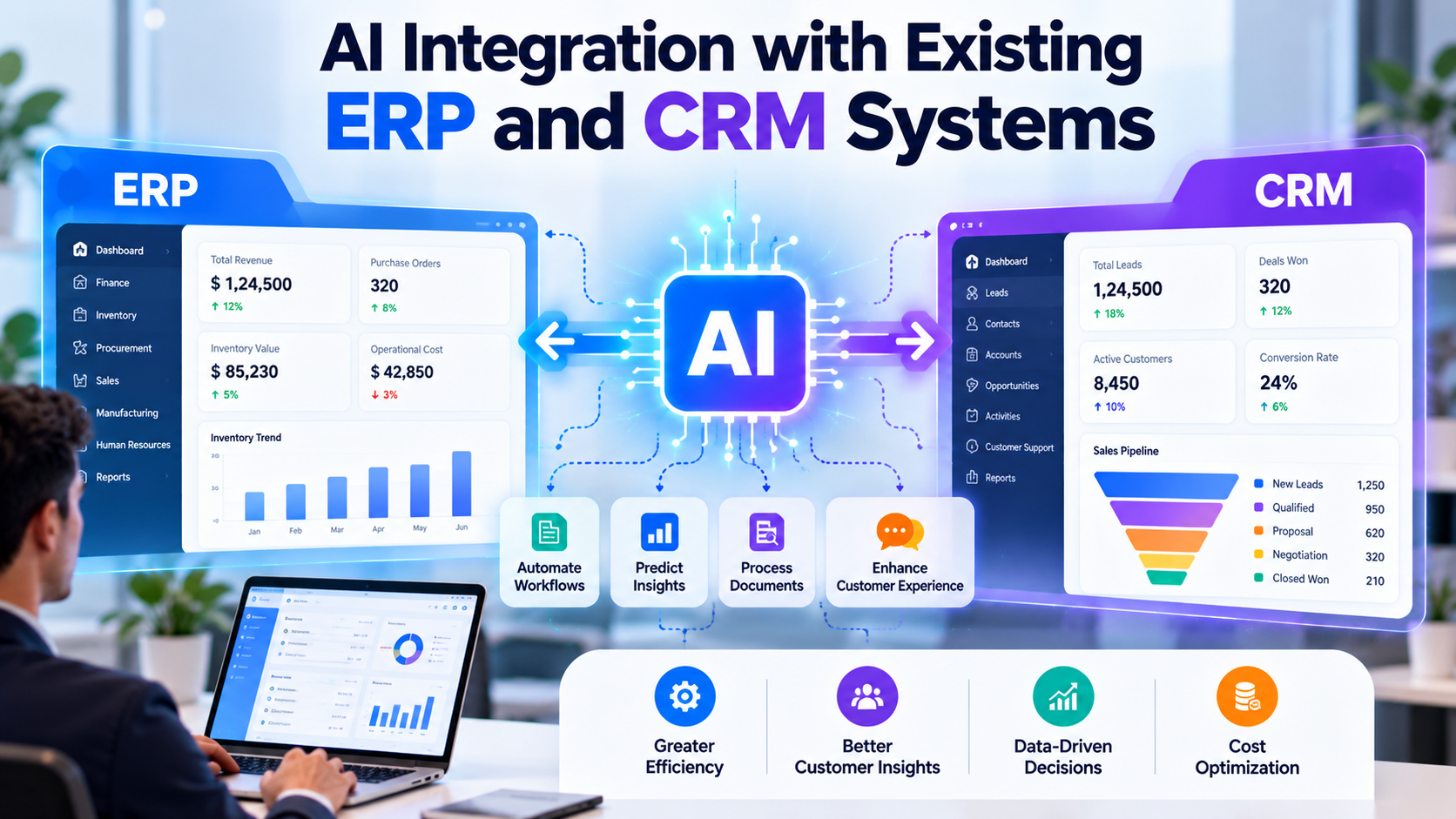
AI integration with existing ERP and CRM systems involves connecting AI capabilities to current business applications, databases, APIs, and workflows. These capabilities can help organizations automate repetitive tasks, retrieve information using natural language, analyze business data, classify documents, predict trends, and provide recommendations based on available information.
For example, an AI-enabled CRM system could summarize customer interactions, identify sales opportunities requiring attention, and help sales teams prepare follow-up messages. An AI-enabled ERP system could assist with invoice processing, inventory analysis, purchase order monitoring, and operational reporting.
The objective is not simply to add an AI chatbot to an existing application. It is to connect AI capabilities to the business processes, data, and systems where they can provide measurable value.
For many organizations, the practical challenge is determining how to introduce AI while preserving existing workflows, protecting sensitive information, maintaining data consistency, and minimizing disruption to daily operations.
1. What Is AI Integration with ERP and CRM Systems?
AI integration with ERP and CRM systems means incorporating artificial intelligence capabilities into existing enterprise applications so they can perform selected tasks more intelligently and efficiently.
Instead of replacing the ERP or CRM platform, an organization can extend its current system with AI models, automation workflows, intelligent search, predictive analytics, or conversational interfaces.
An ERP system typically manages internal business operations, including:
Finance and accounting
Inventory and warehouse management
Procurement and purchasing
Sales orders and fulfillment
Production and operations
Employee and resource management
A CRM system typically manages customer-facing activities, including:
Lead and contact management
Sales pipeline tracking
Customer communication
Marketing campaigns
Customer support
Sales forecasting and customer retention
AI can enhance both types of systems by using their existing data and integrating with their workflows.
How AI Integration Works
Consider a company that receives hundreds of customer inquiries and purchase requests each day.
Without AI integration, employees may need to review emails manually, identify the relevant customer, locate related records, update the CRM, and forward the request to the appropriate department.
With a properly integrated AI workflow, the system could classify incoming messages, extract relevant details, retrieve authorized customer information, create a draft response, and recommend the next action.
Where appropriate permissions and business rules exist, the application could also update selected CRM fields or initiate a workflow.
The same approach can be applied to ERP processes such as invoice classification, stock analysis, purchase order tracking, and operational reporting.
The existing ERP or CRM remains the primary business system. AI adds capabilities around it, while the application controls which actions are permitted and when human approval is required.
2. Why Businesses Are Integrating AI into Existing ERP and CRM Systems
Organizations often already have substantial investments in enterprise software. Replacing these platforms can require data migration, employee training, process redesign, system testing, and significant implementation effort.
AI integration offers another approach: improve selected business processes while retaining the existing system wherever practical.
2.1 Reduce Repetitive Manual Work
Employees frequently spend time copying information between applications, preparing routine reports, classifying documents, and updating customer records.
AI can assist with these activities by extracting information, preparing summaries, classifying incoming requests, and triggering predefined workflows.
For example, an AI document-processing workflow can extract invoice details and prepare them for validation in an ERP system.
2.2 Improve Access to Business Information
Business information is often distributed across ERP modules, CRM records, documents, and reporting databases.
AI-powered search and conversational interfaces can help authorized employees retrieve information without navigating multiple screens or manually searching through extensive records.
For example, a sales manager could ask, "Which customers have open opportunities and overdue invoices?"
The system could retrieve relevant information from approved CRM and ERP data sources, subject to access permissions.
2.3 Improve Customer Relationship Management
AI can help sales and support teams understand customer interactions, prioritize follow-ups, summarize conversations, and identify patterns in customer activity.
These capabilities can reduce administrative work and provide employees with relevant context before customer interactions.
2.4 Support Better Business Decisions
ERP and CRM systems contain historical information about sales, orders, stock levels, customer activity, and operational performance.
AI and machine learning can analyze suitable datasets to identify trends, estimate future demand, detect unusual patterns, and support business planning.
The quality of these insights depends on data quality, model performance, and the relevance of the underlying business information.
2.5 Extend Existing Software Gradually
Businesses do not need to introduce AI into every department at once.
They can begin with a focused use case, such as CRM conversation summaries or invoice data extraction, and expand after measuring accuracy, adoption, cost, and operational impact.
This phased approach makes it easier to validate the technology before applying it to more sensitive or complex workflows.
3. AI Integration Use Cases for ERP Systems
ERP systems coordinate many internal business processes, making them suitable for carefully selected AI enhancements.
3.1 Intelligent Invoice Processing
Finance teams often receive invoices in PDF, scanned image, email attachment, or electronic document formats.
Manual processing can require employees to identify suppliers, capture invoice numbers, verify totals, match purchase orders, and enter information into the ERP system.
AI-based document processing can assist with:
Identifying invoice documents
Extracting supplier names and invoice numbers
Capturing dates, line items, tax amounts, and totals
Identifying purchase order references
Flagging missing or inconsistent information
Preparing data for ERP entry
Routing exceptions to the appropriate employee
A practical workflow begins when an invoice arrives through an approved channel. The document-processing service extracts the relevant fields and validates them against available supplier and purchase order records.
The ERP integration then creates a draft transaction or sends the extracted data for approval, depending on the organization's rules.
Business value: Reduced manual data entry, faster document handling, and improved consistency in invoice processing.
AI extraction should not be treated as proof that an invoice is genuine or approved. Financial validation and payment authorization should remain governed by the organization's controls.
3.2 Inventory Forecasting and Stock Monitoring
Inventory management requires businesses to balance product availability against storage costs and the risk of excess stock.
AI and machine learning can analyze historical sales, stock movements, seasonal trends, supplier lead times, and other relevant information to support inventory planning.
Possible applications include:
Forecasting product demand
Identifying potential stock shortages
Highlighting slow-moving inventory
Estimating replenishment requirements
Identifying unusual stock movements
Recommending stock allocation across locations
For example, an AI service connected to an ERP inventory module could identify products whose projected demand may exceed available stock before the next replenishment arrives.
The system could present a recommendation to the inventory manager rather than automatically creating a purchase order.
Business value: Better inventory visibility, more informed replenishment planning, and reduced manual analysis.
Forecasting results should be evaluated against historical performance and updated as demand patterns change.
3.3 Procurement and Purchase Order Automation
Procurement teams manage supplier information, purchase requests, purchase orders, goods receipts, and invoice matching.
AI can help classify purchase requests, extract supplier details, summarize quotations, and identify discrepancies between purchase orders and supplier documents.
Example capabilities include:
Extracting information from supplier quotations
Comparing quoted prices against approved records
Identifying incomplete purchase requests
Highlighting unusual price variations
Summarizing supplier performance
Routing purchase requests based on predefined approval rules
The ERP remains responsible for maintaining the official purchase records. AI assists with preparation and analysis, while authorization rules determine whether an order can proceed.
Business value: Reduced administrative effort and improved visibility into procurement workflows.
3.4 Financial Reporting and Anomaly Detection
Finance teams often need to review transactions, compare expenses, prepare reports, and investigate unusual activity.
AI and machine learning can support these processes by identifying patterns that differ from historical behavior or established rules.
Possible use cases include:
Flagging unusual expense transactions
Identifying duplicate invoice candidates
Summarizing departmental spending
Highlighting unexpected changes in costs
Supporting cash-flow forecasting
Preparing explanations of financial report variations
For example, a system could flag an expense that differs significantly from a department's usual spending pattern.
A flag should trigger investigation rather than automatically imply fraud or an error.
Business value: Faster identification of records requiring review and more efficient financial analysis.
3.5 ERP Data Search Using Natural Language
Employees may need information from several ERP modules to answer routine operational questions.
An AI-powered natural-language interface can translate supported business questions into database queries or API requests.
Examples include:
Which purchase orders are awaiting approval?
What is the current stock quantity by warehouse?
Which invoices are overdue?
Which jobs are scheduled for delivery this week?
What were the total sales for each product category last month?
Depending on the architecture, the system can retrieve information through approved APIs, a reporting database, a governed semantic layer, or validated SQL queries.
Business value: Easier access to operational information for authorized employees without requiring them to navigate every ERP screen manually.
3.6 Production and Operational Planning
Manufacturing and operations teams manage production schedules, resource availability, work orders, and delivery commitments.
AI can analyze relevant historical and operational data to identify potential delays, estimate demand, and support planning decisions.
Applications may include:
Production demand forecasting
Work order prioritization
Delay risk identification
Equipment maintenance prediction
Resource utilization analysis
Production variance reporting
AI recommendations should be based on reliable data and validated against actual operational constraints before being used to change production schedules.
4. AI Integration Use Cases for CRM Systems
CRM systems contain valuable information about customers, leads, communications, sales opportunities, and support interactions.
AI can help employees interpret this information and automate selected parts of the customer lifecycle.
4.1 AI Lead Scoring and Prioritization
Sales teams often receive more leads than they can immediately follow up with.
AI-based lead scoring can analyze permitted historical data, such as lead source, company attributes, engagement history, and previous conversion outcomes, to estimate which leads may be more likely to convert.
Possible capabilities include:
Ranking leads by estimated conversion likelihood
Identifying high-priority opportunities
Highlighting incomplete lead records
Recommending follow-up priorities
Identifying patterns associated with successful conversions
For example, the CRM could prioritize leads that resemble previous customers who converted successfully.
The model should be evaluated for accuracy and potential bias. Its scores should support sales judgment rather than replace it.
Business value: More structured lead prioritization and better use of sales team time.
4.2 Customer Interaction Summarization
Sales and support teams communicate with customers through email, calls, meetings, and service conversations.
Reviewing every interaction manually can be time-consuming.
Generative AI can summarize authorized conversation records and highlight:
Customer requirements
Main discussion points
Unresolved questions
Agreed next steps
Important dates
Follow-up actions
The summary can be attached to the relevant CRM record for the responsible employee to review.
For example, after a sales meeting, the system could prepare a draft summary containing the customer's requirements, requested features, and next meeting date.
Business value: Reduced administrative work and easier access to customer history.
Summaries should be checked for important factual details before they are used in contractual commitments or other high-impact decisions.
4.3 Automated Customer Support
AI chatbots and virtual assistants can connect to CRM data to provide contextual customer support.
Depending on the permissions and available integrations, the assistant may:
Answer frequently asked questions
Retrieve approved product information
Check the status of a support request
Provide relevant troubleshooting guidance
Create a support ticket
Route complex issues to a human agent
Summarize previous interactions for the support team
For example, an authorized customer support assistant could retrieve the current status of a service ticket through the CRM API and provide an answer based on the returned information.
It should not disclose another customer's information or make promises that are not supported by the system.
Business value: More accessible support and reduced effort for repetitive inquiries.
4.4 Sales Forecasting
Sales forecasting helps organizations estimate future revenue and understand the health of their sales pipeline.
AI models can analyze historical opportunity outcomes, deal stages, activity patterns, and other relevant information to support forecasting.
Potential features include:
Estimating opportunity conversion likelihood
Identifying deals that may be delayed
Highlighting pipeline changes
Comparing forecasted and actual results
Identifying opportunities requiring attention
The model should use clearly defined historical data and be evaluated regularly because sales processes, market conditions, and customer behavior can change.
Business value: Additional analytical support for sales planning and pipeline management.
4.5 Personalized Customer Communication
AI can assist employees in drafting customer messages using relevant CRM information.
For example, it may prepare a follow-up email based on a recent meeting, a customer's stated requirements, or the status of an opportunity.
Capabilities may include:
Drafting follow-up emails
Preparing meeting summaries
Suggesting responses to common questions
Adapting message tone to business context
Generating product information summaries
Translating communications where required
The system should use only authorized information and should not invent product features, pricing, contractual terms, or delivery commitments.
A review-and-approve workflow is appropriate when communications contain sensitive information or important commercial commitments.
4.6 Customer Retention and Churn Analysis
Customer retention is important for businesses that depend on recurring purchases, subscriptions, or long-term relationships.
Machine learning models can examine permitted historical patterns to estimate which customers may be at increased risk of leaving.
Possible indicators include changes in purchase frequency, reduced engagement, declining usage, or unresolved support issues.
The CRM can display a risk indicator and provide supporting information so the account manager can investigate.
Business value: Earlier visibility into potential retention issues and more structured customer follow-up.
A risk score is a prediction, not proof that a customer intends to leave. Outreach decisions should remain appropriate to the customer's circumstances and the organization's policies.
5. Connecting ERP and CRM Data with AI
The benefits of AI can increase when information from ERP and CRM systems is used together.
ERP platforms often contain transaction and operational information, while CRM platforms contain customer, lead, sales pipeline, and communication information.
When these datasets can be securely connected, AI may help answer questions that span multiple departments.
Example: Customer Order and Sales Analysis
A business may want to identify customers who have open sales opportunities but have not placed recent orders.
The workflow may involve:
Retrieving opportunity information from the CRM.
Retrieving order history from the ERP.
Matching customer records using approved identifiers.
Applying business rules to define an inactive customer.
Presenting a combined report to authorized employees.
Allowing employees to review the information before initiating follow-up.
The resulting report could help sales teams identify accounts that may require attention.
Example: Support Issues and Product Returns
A business may want to investigate whether products with repeated support complaints also have higher return rates.
The AI application could retrieve relevant CRM support records and ERP return transactions, connect the records using product and order identifiers, and summarize observed patterns.
The analysis would require reliable identifiers, consistent data definitions, and appropriate permissions.
Why Data Consistency Matters
Connecting two systems does not automatically make their information consistent.
Customer names may differ between applications. Product identifiers may not match. Order statuses may use different definitions, and information may be updated at different times.
A reliable integration should address:
Customer and product identity matching
Data mapping and transformation
Duplicate record handling
Synchronization frequency
Error handling and retries
Source-of-truth rules
Access permissions
Data lineage and auditability
These requirements are essential when AI uses information from multiple systems to generate business recommendations.
6. Types of AI Technologies Used in ERP and CRM Integration
Different business problems require different AI capabilities. Selecting the appropriate technology is more important than adding the largest possible number of AI features.
6.1 Generative AI and Large Language Models
Generative AI can interpret text, summarize documents, draft messages, answer questions, and help users interact with business information using natural language.
In ERP and CRM environments, it may support:
Customer interaction summaries
Business document analysis
Conversational data search
Internal knowledge assistants
Email drafting
Report explanations
A language model should receive only the data and permissions required for the task. It should not have unrestricted access to enterprise systems.
6.2 Machine Learning
Machine learning identifies patterns in historical data and uses them to make predictions or classifications.
Potential applications include:
Sales forecasting
Lead scoring
Demand forecasting
Churn risk estimation
Anomaly detection
Predictive maintenance
Model performance depends on the availability, quality, representativeness, and relevance of training data.
6.3 Natural Language Processing
Natural Language Processing (NLP) helps software interpret and classify human language.
It can be used for:
Email classification
Customer sentiment analysis
Intent recognition
Entity extraction
Document categorization
Support ticket routing
NLP capabilities can support both traditional machine learning models and generative AI workflows.
6.4 Optical Character Recognition and Intelligent Document Processing
Optical Character Recognition (OCR) converts text in images or scanned documents into machine-readable text.
Intelligent Document Processing combines OCR with additional techniques for document classification, field extraction, validation, and workflow integration.
It can support invoice processing, purchase order extraction, delivery document handling, and customer onboarding.
OCR alone does not establish the meaning or validity of every extracted field. Validation rules and, where necessary, human review remain important.
6.5 AI Agents and Workflow Automation
AI agents can coordinate multiple steps to complete a defined task using approved tools and system interfaces.
For example, an internal assistant could retrieve a customer record, summarize recent interactions, check an order status, and prepare a draft response.
In enterprise applications, agent capabilities should be constrained by explicit tool permissions, action limits, validation rules, and approval requirements.
AI agents should not be given unrestricted authority to change financial, customer, or operational records.
7. How to Integrate AI into an Existing ERP or CRM System
A successful AI integration project begins with a defined business problem rather than a decision to use AI for its own sake.
Step 1: Identify the Business Problem
Determine which process is causing the greatest amount of repetitive work, delay, or reporting difficulty.
Examples include:
Manual invoice data entry
Repetitive CRM updates
Slow access to business reports
High volumes of routine customer inquiries
Time-consuming sales meeting summaries
Manual classification of business documents
Define the expected outcome and how success will be measured.
Step 2: Assess the Existing ERP or CRM System
Review the existing software architecture, data structure, integrations, permissions, and customization.
Determine whether the system provides APIs, webhooks, supported connectors, reporting views, or other integration mechanisms.
The assessment should also identify any limitations in data quality, system performance, or existing business workflows.
Step 3: Select the Right AI Use Case
Prioritize use cases according to business value, feasibility, risk, data availability, and implementation effort.
A focused use case with clear inputs and outputs is often a better starting point than an AI assistant that attempts to manage every business function.
For example, summarizing CRM conversations may be a suitable initial project if the data is accessible and the business process is well defined.
Step 4: Choose the Integration Method
The best integration method depends on the ERP or CRM platform and the required functionality.
Common options include:
API integration: The AI application retrieves or updates approved information through official application interfaces.
Webhook integration: The ERP or CRM sends an event to another service when a specified activity occurs.
Middleware integration: An integration layer manages communication, transformation, and orchestration between multiple systems.
Database integration: A controlled reporting or data-access layer retrieves information from approved database views. Direct production database access should be assessed carefully and may not be supported by the software vendor.
Embedded AI functionality: Existing platform capabilities or supported extensions provide AI features inside the application.
For most business workflows, official APIs or supported integration mechanisms are preferable to directly modifying the application's underlying database.
Step 5: Prepare and Validate the Data
Review the data required for the selected use case.
Check for missing fields, duplicates, inconsistent identifiers, incorrect values, and unclear business definitions.
For systems that exchange data, define field mappings and decide which application is authoritative for each record.
Step 6: Develop the AI Service
Build the AI functionality around the selected business process.
This may involve model integration, prompt design, retrieval of relevant information, document processing, prediction logic, or workflow orchestration.
The service should use only the data and tools needed for its intended purpose.
Step 7: Connect AI with ERP or CRM Workflows
Implement the approved data exchange between the AI service and the enterprise application.
For example, an AI service might retrieve an invoice attachment, extract fields, validate the information, and submit a draft record through the ERP API.
Define what happens when the AI cannot identify a field, the API is unavailable, or a validation rule fails.
Step 8: Implement Security and Approval Controls
Define authentication, authorization, data-access rules, audit logs, error handling, and human approval requirements.
Sensitive actions such as approving payments, issuing refunds, changing supplier banking information, or modifying important customer records should have explicit controls.
Step 9: Test the Integration
Test the AI service, API communication, business logic, security controls, and end-to-end workflows.
Testing should include:
Valid and invalid inputs
Missing or inconsistent data
API failures and timeouts
Duplicate events
Unauthorized access attempts
Incorrect AI predictions or extractions
Human approval and rejection paths
Logging and recovery behavior
Step 10: Deploy and Monitor
Begin with a controlled rollout, such as one department or a limited set of users.
Monitor accuracy, response time, integration failures, usage, operational cost, and user feedback.
Expand the implementation when the agreed performance, security, and business acceptance criteria are met.
8. Technical Enterprise AI Integration
A typical AI integration architecture separates the enterprise applications, integration services, AI components, and security controls.
Main Components
ERP and CRM systems: The existing business applications that maintain official customer, financial, inventory, and operational records.
API and integration layer: The component that manages data exchange, authentication, request validation, retries, and synchronization.
AI orchestration service: The component that coordinates model calls, retrieval, document processing, or other AI operations.
Business data and context layer: Approved records, document repositories, business definitions, and other information needed for the selected use case.
Security and governance layer: Access policies, audit logs, approval rules, data protection, and operational controls.
User interface and workflow layer: The screens, notifications, dashboards, or existing ERP and CRM workflows through which users interact with AI results.
9. Security and Data Privacy in AI Integration
ERP and CRM systems may contain sensitive financial records, employee information, customer contact details, commercial agreements, and confidential operational data.
Integrating AI introduces additional considerations because information may pass through external model providers, internal AI services, integration middleware, and logging systems.
Security should therefore be designed into the solution from the beginning.
Role-Based Access Control
Users should access AI capabilities according to their existing business permissions.
An employee who cannot access confidential financial records through the ERP should not be able to retrieve those records by asking an AI assistant.
Data Minimization
Send only the information required for the specific AI task.
For example, an invoice extraction service may need the invoice document and relevant supplier details, but not the organization's entire customer database.
Secure API Authentication
Use supported authentication methods, protect credentials, and apply appropriate authorization scopes.
Credentials should not be embedded in client-side code or exposed through application logs.
Data Encryption
Protect information during transmission and, where applicable, while stored in databases, caches, document repositories, and logs.
Model and Provider Assessment
Evaluate the model provider's data-handling terms, retention policies, processing locations, security controls, and contractual requirements before sending confidential information to an external service.
Human-in-the-Loop Review
Require human approval for decisions or actions where incorrect results could cause significant financial, legal, operational, or customer impact.
Audit Logging
Maintain appropriate records of AI requests, source data references, decisions, approved actions, errors, and system changes.
Logs should be protected and should avoid unnecessarily storing sensitive content.
Prompt Injection and Untrusted Documents
Documents, emails, and retrieved text may contain instructions designed to manipulate an AI system.
Treat such content as untrusted data. Enforce permissions and tool restrictions outside the model, validate proposed actions, and prevent documents from granting the AI additional authority.
Continuous Monitoring
Monitor model performance, unusual access patterns, integration failures, and changes in the quality of AI outputs.
Security controls should be reviewed whenever the system's scope, data sources, models, or available actions change.
10. Common Challenges in ERP and CRM AI Integration
10.1 Legacy System Limitations
Older systems may have limited APIs, outdated authentication mechanisms, or undocumented integrations.
Approach: Assess the supported integration options, identify vendor constraints, and design an integration layer around the available interfaces. Avoid unsupported database changes that could affect system stability.
10.2 Poor Data Quality
Inconsistent records and incomplete fields can produce incorrect AI outputs.
Approach: Establish data-quality rules, correct important inconsistencies, and validate source data before using it in AI workflows.
10.3 Integration Complexity
ERP and CRM platforms may use different data models, identifiers, and business rules.
Approach: Define mappings, source-of-truth policies, synchronization requirements, and error-recovery procedures before development begins.
10.4 AI Inaccuracy
Models may misclassify documents, generate incorrect summaries, or produce recommendations that do not match business reality.
Approach: Use representative test datasets, confidence thresholds where appropriate, validation rules, and human review for uncertain or high-impact cases.
10.5 Resistance to Change
Employees may be reluctant to adopt new AI features if the workflow is unfamiliar or the benefits are unclear.
Approach: Involve users in requirements gathering, demonstrate the solution using real business scenarios, provide training, and collect feedback during the pilot.
10.6 Cost and Performance
AI model calls, document processing, integration infrastructure, and ongoing monitoring can introduce additional costs.
Approach: Estimate usage, evaluate suitable models, limit unnecessary processing, monitor latency, and compare the total cost against measurable operational benefits.
10.7 Unclear Ownership
When an AI-generated update is incorrect, teams need to know who owns the workflow, data, model, and approval process.
Approach: Define operational ownership, escalation procedures, approval responsibilities, and accountability for maintaining the integration.
11. Measuring the Success of AI Integration
AI integration should be evaluated through measurable business outcomes rather than the number of AI features delivered.
Useful performance indicators include:
KPI | What It Measures |
Processing Time | Time required to complete the target workflow |
Manual Intervention Rate | Percentage of cases requiring employee correction or handling |
Data Extraction Accuracy | Accuracy of extracted fields against verified records |
Query or Response Accuracy | Whether the AI response correctly answers the user's question |
Workflow Completion Rate | Percentage of workflows completed successfully |
Integration Failure Rate | Frequency of failed API calls, synchronization errors, or interrupted workflows |
User Adoption | How frequently intended employees use the AI capability |
Cost per Transaction | Average AI and infrastructure cost per processed item |
Error and Exception Rate | Frequency of incorrect outputs, failed validations, or exceptions |
Business Impact | Measured effect on processing effort, service performance, or another agreed objective |
For example, an invoice-processing pilot could measure the percentage of invoices processed without manual field correction, the average handling time, and the number of exceptions requiring finance-team review.
A CRM assistant could be evaluated using summary accuracy, time saved by employees, user adoption, and the rate of corrections required before summaries are stored.
Establish a baseline before implementation and compare results using a representative evaluation period.
12. How to Choose the Right AI Integration Approach
Not every business needs the same architecture or level of AI sophistication.
For Small and Medium-Sized Businesses
Start with a focused workflow that addresses a clear operational problem.
Suitable examples may include invoice field extraction, CRM email summaries, internal document search, or automated classification of incoming requests.
A limited integration is often easier to test, maintain, and measure.
For Growing Businesses
Consider multiple workflows connected through a reusable integration layer.
Examples include lead prioritization, CRM support automation, ERP reporting assistants, and cross-system order visibility.
Reusable components can reduce duplication as the number of integrations increases.
For Large Enterprises
Enterprise environments may require more extensive identity management, data governance, auditability, monitoring, deployment controls, and multi-system orchestration.
The architecture should account for multiple departments, different permission models, high data volumes, and strict operational requirements.
Key Questions Before Selecting an Approach
Which business process needs improvement?
Which ERP and CRM products are currently in use?
What APIs or supported integration mechanisms are available?
Which data sources are required?
What are the organization's security and privacy requirements?
Does the workflow require predictions, document processing, conversational search, or automation?
Which actions require human approval?
How will the solution's accuracy and business value be measured?
Answering these questions helps establish a realistic scope before development begins.
13. The Future of AI Integration with ERP and CRM Systems
AI integration is moving toward more contextual, connected, and workflow-oriented business applications.
Conversational Enterprise Applications
Employees can increasingly interact with business data through natural-language interfaces rather than navigating multiple screens for every request.
AI-Assisted Business Workflows
AI can prepare information, identify missing fields, recommend next steps, and coordinate approved actions across existing applications.
Predictive Business Operations
Machine learning can help organizations anticipate demand, estimate risks, and identify patterns in sales, inventory, customer activity, and operational data.
Intelligent Document Processing
Document AI can help businesses classify and extract information from invoices, purchase orders, contracts, and other business documents before routing them into established workflows.
Connected Enterprise Data
Improved integration between ERP, CRM, document repositories, and reporting systems can make authorized business information easier to retrieve and analyze.
Governed AI Agents
AI agents may coordinate more complex tasks across enterprise tools, but reliable deployment requires strict permissions, defined boundaries, validation, audit trails, and human oversight where necessary.
The long-term objective is not to automate every decision. It is to make business processes more efficient while keeping data access, accountability, and operational control clear.
Conclusion
AI integration with existing ERP and CRM systems allows businesses to extend their current software with intelligent automation, predictive analytics, natural-language search, document processing, and AI-assisted workflows.
ERP applications can benefit from invoice processing, inventory forecasting, procurement assistance, financial analysis, and operational reporting. CRM platforms can benefit from lead scoring, customer interaction summaries, support automation, sales forecasting, and customer retention analysis.
Connecting these capabilities across ERP and CRM systems can also help organizations gain a more complete view of customer activity and operational performance.
However, successful integration requires more than selecting an AI model. Businesses need to assess their existing systems, identify suitable use cases, prepare reliable data, implement secure integrations, validate AI outputs, and define appropriate approval and monitoring processes.
A phased implementation is often the most practical approach: begin with a well-defined business problem, establish measurable success criteria, test the solution with representative data, and expand after the results meet agreed requirements.
Planning to Integrate AI into Your Existing ERP or CRM System?
Start by identifying the repetitive tasks, reporting challenges, and disconnected workflows that create the most effort for your team. Assess the integration options available in your existing software and select a focused use case that can be tested against clear business and security requirements.
With the right architecture and implementation strategy, AI can extend the capabilities of existing enterprise applications without requiring an immediate replacement of the systems your business already depends on.
Frequently Asked Questions
1. What is AI integration with ERP and CRM systems?
It is the process of connecting AI capabilities to existing ERP and CRM software to support tasks such as data analysis, document processing, customer support, predictive analytics, and workflow automation.
2. Can AI be integrated into an existing ERP system without replacing it?
Yes. AI can often be connected through supported APIs, middleware, webhooks, reporting databases, or platform extensions. The available options depend on the ERP product, architecture, and vendor restrictions.
3. How can AI improve CRM systems?
AI can help summarize customer interactions, prioritize leads, draft follow-up messages, support customer service, estimate sales outcomes, and identify potential customer retention risks.
4. What are the main benefits of AI integration for ERP systems?
Potential benefits include reduced manual data entry, faster document processing, improved inventory analysis, more accessible reporting, and additional support for procurement and financial workflows.
5. Which AI technologies are used for ERP and CRM integration?
Common technologies include large language models, machine learning, natural language processing, OCR, intelligent document processing, predictive analytics, and AI workflow orchestration.
6. Is AI integration compatible with legacy ERP and CRM software?
It may be possible, depending on the software's supported interfaces and technical limitations. Legacy systems may require additional middleware, vendor-supported connectors, or changes to the integration architecture.
7. Is it safe to connect AI to business databases?
It can be done with appropriate controls, including restricted access, secure authentication, data minimization, query validation, audit logging, and human approval for sensitive actions. Unrestricted access to business databases should be avoided.
8. Can AI connect ERP and CRM systems together?
Yes. An integration can retrieve authorized information from both systems and combine it for reporting or workflow support. Data mapping, identity matching, synchronization, and permission management are important.
9. Can AI automate ERP and CRM workflows completely?
Some low-risk, well-defined tasks may be automated end to end. Financial approvals, sensitive record changes, and other high-impact operations may require human review and explicit authorization.
10. How long does ERP and CRM AI integration take?
The timeline depends on the software products, integration methods, data quality, number of workflows, security requirements, and testing scope. A focused proof of concept is generally simpler than a multi-system enterprise implementation.
11. How much does AI integration cost?
Cost depends on the AI capabilities required, model usage, system complexity, integration development, infrastructure, security, and ongoing maintenance. A scoped technical assessment can help establish a realistic estimate.
12. How can businesses measure the ROI of AI integration?
Businesses can compare implementation and operating costs against measurable changes in processing time, manual effort, error rates, workflow completion, customer service performance, and other relevant business outcomes.
13. Does AI integration require clean business data?
Reliable data is important for accurate outputs. Existing data does not necessarily need to be perfect before starting, but critical inconsistencies, missing fields, and unclear business definitions should be identified and addressed.
14. What is the best first AI integration project?
A suitable starting point is a well-defined, measurable, relatively low-risk workflow, such as CRM interaction summaries, invoice data extraction, internal document search, or routine reporting assistance. The best choice depends on the organization's priorities and data readiness.