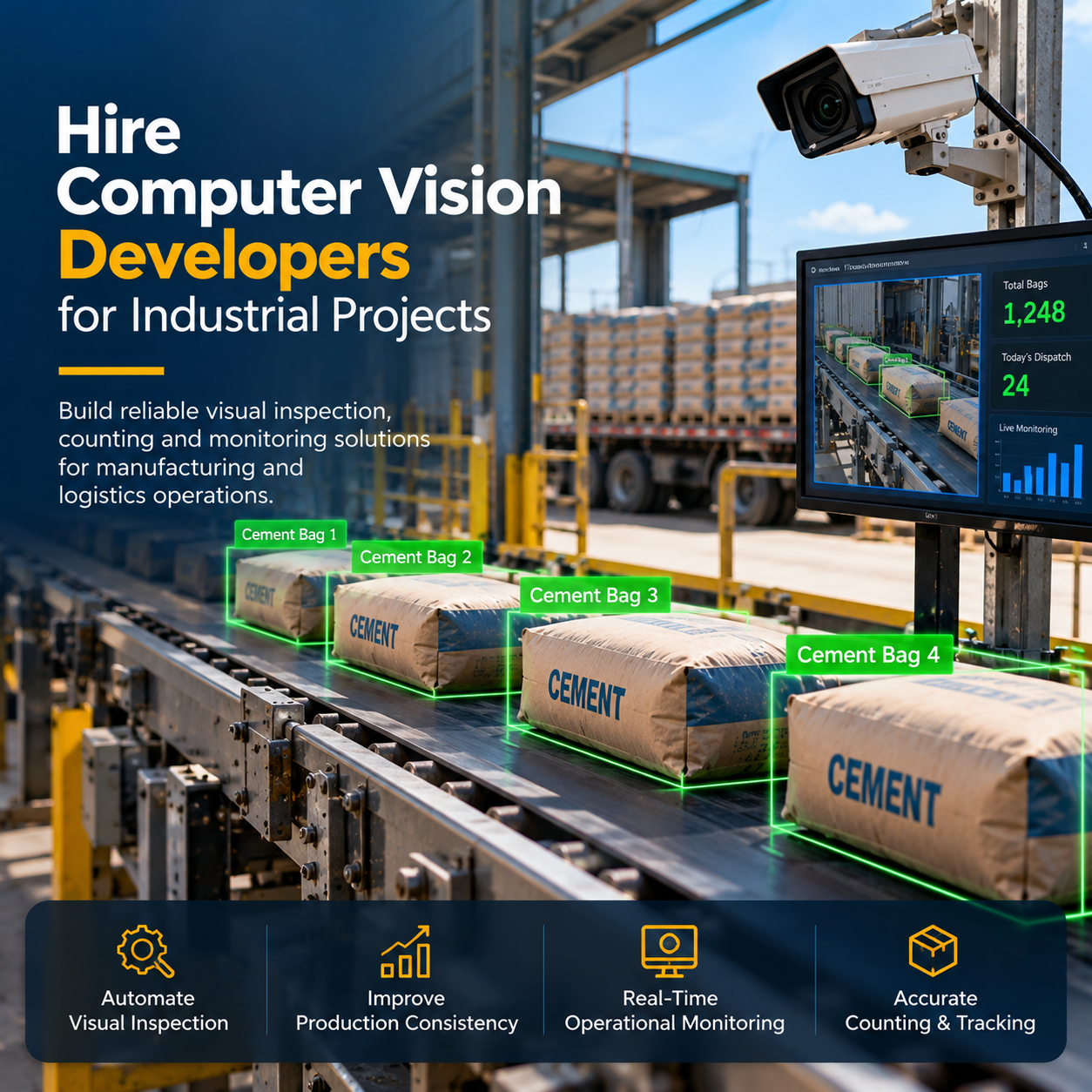

1. Introduction
Industrial businesses increasingly rely on automation to improve product quality, monitor production processes, reduce operational errors, and maintain consistent manufacturing standards. However, many industrial operations still depend on manual inspection, conventional monitoring systems, and repetitive visual checks that can be time-consuming and difficult to scale.
Manufacturers may need to identify product defects on production lines, count items moving through warehouses, monitor loading and unloading activities, detect safety equipment violations, or track materials across different operational stages. These tasks require systems that can analyze visual information accurately and provide useful results in real time.
For example, a manufacturing company can use a computer vision system to inspect products as they move along a conveyor belt. The system can identify visible defects, classify products, and flag items that require further inspection. Similarly, a logistics facility can use camera-based analytics to count packages, monitor dispatch operations, and improve visibility into warehouse activities.
However, implementing a reliable industrial computer vision solution requires more than selecting an AI model. It involves understanding the industrial process, collecting representative image and video data, choosing suitable cameras, developing detection algorithms, integrating the system with existing software, and testing performance under real operating conditions.
2. What Does a Computer Vision Developer Do?
A computer vision developer builds software that enables computers to analyze images, video streams, and other visual inputs to identify objects, patterns, defects, movements, or activities.
In industrial projects, the developer works to translate a business requirement into a reliable visual inspection or monitoring system.
Typical responsibilities include:
Understanding industrial workflows and inspection requirements.
Selecting appropriate computer vision algorithms.
Preparing and annotating image and video datasets.
Training, testing, and evaluating machine learning models.
Developing object detection and image classification pipelines.
Implementing object tracking and movement analysis.
Integrating cameras and video streams.
Developing APIs and backend services for computer vision applications.
Connecting AI outputs to dashboards, databases, and industrial software.
Optimizing model performance for production environments.
Deploying solutions on cloud servers, edge devices, or on-premises infrastructure.
Monitoring system accuracy and maintaining deployed models.
For example, if a factory wants to detect damaged packaging on a conveyor belt, a computer vision developer may analyze sample images, identify relevant defect categories, train a model, connect it to a camera feed, and build a mechanism that flags suspicious items for inspection.
The final system may also include a dashboard showing inspection counts, detected defects, timestamps, camera locations, and production statistics.
The exact responsibilities depend on whether the project focuses on research, prototype development, production deployment, or integration with an existing industrial system.
3. Why Hire Computer Vision Developers for Industrial Projects?
Industrial computer vision projects often involve practical constraints that are not apparent in demonstrations. Lighting conditions change, products move at different speeds, cameras capture objects from different angles, and production environments may contain dust, vibration, or visual obstructions.
Experienced developers can help businesses address these challenges systematically.
3.1 Automate Visual Inspection
Manual inspection can require employees to examine large quantities of products repeatedly.
Computer vision systems can inspect suitable products automatically and identify visible characteristics that match defined defect categories.
Applications include detecting scratches, surface damage, missing components, packaging defects, incorrect labels, and assembly inconsistencies.
The system can flag suspicious products for further review, reducing dependence on repetitive manual inspection.
3.2 Improve Production Consistency
Human inspection can vary depending on workload, fatigue, experience, and inspection procedures.
A properly developed computer vision system applies consistent detection rules to the visual information it receives.
This can help manufacturers standardize inspection processes, provided that the model has been validated against representative production conditions.
3.3 Support Real-Time Operational Monitoring
Industrial facilities need timely information about production lines, warehouse movements, loading operations, and material handling.
Computer vision developers can build systems that analyze camera streams and detect relevant events as they occur.
For example, a monitoring system may identify when a loading zone becomes occupied, count packages passing a checkpoint, or flag a production line that appears to have stopped moving.
The response time depends on camera quality, model complexity, computing hardware, and the integration architecture.
3.4 Reduce Repetitive Manual Counting
Counting products, packages, bags, components, or other materials manually can be difficult when volumes are high.
Object detection and tracking can help count items as they pass through a defined visual area.
These solutions can be useful in cement dispatch operations, logistics facilities, warehouses, manufacturing plants, and packaging lines.
Accuracy depends on factors such as overlapping objects, camera placement, lighting, and whether the same item appears multiple times in the video.
3.5 Improve Workplace Safety Monitoring
Industrial facilities often need to monitor whether employees follow established safety procedures.
Computer vision can help identify selected conditions, such as missing personal protective equipment, entry into restricted zones, or unsafe proximity to machinery.
The system can generate alerts for review by the responsible safety team.
Safety monitoring must be designed carefully to minimize false alarms, protect employee privacy, and avoid treating a visual detection as definitive proof of a safety violation.
3.6 Connect Visual Data with Business Systems
Visual detections become more useful when they are connected to existing operational applications.
Computer vision developers can integrate model outputs with ERP platforms, warehouse management systems, manufacturing execution systems, maintenance applications, and reporting dashboards.
For example, a detected packaging defect could be associated with a production batch and inspection timestamp, allowing quality managers to review patterns across manufacturing operations.
4. Industrial Applications of Computer Vision
Computer vision can support a wide range of industrial use cases. The most suitable application depends on the operational problem, available visual data, inspection requirements, and expected performance.
4.1 Automated Quality Inspection
Quality inspection is one of the most common applications of industrial computer vision.
Manufacturers need to identify products that do not meet established quality standards before they reach customers or move to the next production stage.
Computer vision systems can analyze product images to identify visible defects or differences from expected appearance.
Common applications include:
Surface scratch detection.
Crack and damage identification.
Missing component detection.
Incorrect assembly detection.
Packaging quality inspection.
Label and barcode verification.
Product shape and dimension checks.
Classification of defective and acceptable products.
For example, an electronics manufacturer may use cameras to inspect assembled components for missing parts or visible placement errors.
The system can flag suspicious units and send the inspection result to a quality dashboard.
For precise dimensional measurements, the project may also require calibrated cameras, controlled lighting, and suitable measurement techniques rather than relying only on a general-purpose object detection model.
4.2 Industrial Object Detection and Counting
Industrial counting systems identify and count relevant objects within images or video streams.
They are useful when businesses need accurate visibility into production volumes, dispatch quantities, material movement, or packaging operations.
Possible applications include:
Counting products on conveyor belts.
Counting packages at warehouse checkpoints.
Monitoring cement bags during loading.
Counting components during assembly.
Tracking pallets entering or leaving storage areas.
Counting vehicles at industrial entry points.
Monitoring material movement between process stages.
A typical system combines object detection with tracking logic or a defined counting zone to determine when an object should be counted.
For example, a cement dispatch monitoring system could detect bags within a loading area, track their movement, and count each bag when it crosses a designated virtual line.
A reliable implementation must handle overlapping objects, temporary occlusion, changes in speed, camera vibration, and repeated appearances of the same object.
4.3 Workplace Safety and PPE Detection
Personal Protective Equipment (PPE) is essential in many industrial environments.
Computer vision systems can analyze camera footage to identify visible safety equipment, such as helmets, reflective vests, and other specified protective items.
Potential applications include:
Helmet detection.
Safety vest detection.
Restricted-area monitoring.
Entry and exit monitoring.
Identification of selected unsafe conditions.
Alerts when a predefined safety rule appears to be violated.
For example, a system can monitor a designated industrial zone and generate an alert when a person enters without the required visible protective equipment.
The detection process should account for camera angles, occlusion, different equipment designs, and lighting conditions.
AI alerts should support safety personnel rather than replace established workplace safety procedures or human assessment.
4.4 Loading and Unloading Monitoring
Loading and unloading activities are important in manufacturing, logistics, warehouses, and distribution centers.
Manual monitoring can make it difficult to maintain accurate records of goods movement, dispatch quantities, and operational events.
Computer vision can help businesses:
Monitor loading and unloading zones.
Detect selected packages and materials.
Count items during dispatch.
Record timestamps for observed events.
Identify loading activity and inactivity.
Generate alerts for defined operational exceptions.
Produce visual records for review.
For example, a logistics company may install cameras near a loading bay to record package movement and count visible items during dispatch.
When connected to a warehouse or transport management system, the detected activity can be compared with dispatch records.
This can help identify discrepancies that require further investigation. Camera-based observations should not automatically be treated as proof that a shipment is complete unless the workflow includes suitable validation.
4.5 Vehicle and License Plate Recognition
Industrial facilities, warehouses, manufacturing plants, and logistics centers often need to manage vehicle entry, exit, and movement.
Computer vision solutions can combine vehicle detection with Automatic Number Plate Recognition (ANPR) or License Plate Recognition (LPR).
Potential applications include:
Detecting vehicles approaching entry gates.
Reading visible license plates.
Recording vehicle entry and exit timestamps.
Associating vehicles with scheduled deliveries.
Monitoring parking and designated vehicle zones.
Supporting dispatch and gate management workflows.
For example, a warehouse gate system can capture a vehicle's plate and compare it with an authorized delivery schedule.
Recognition performance depends on camera positioning, plate visibility, motion blur, lighting, and local plate formats.
4.6 Warehouse and Inventory Monitoring
Warehouses contain large quantities of products, pallets, cartons, and other materials.
Computer vision can provide additional visibility into stock movement and warehouse activity.
Applications include:
Monitoring pallet movement.
Detecting packages in defined zones.
Identifying visible barcode or label information.
Counting items at checkpoints.
Monitoring loading areas.
Identifying blocked aisles or occupied spaces.
Supporting stock verification workflows.
These systems can complement barcode scanners, RFID technology, and warehouse management software.
The best approach depends on whether the business needs visual estimation, item-level identification, exact stock reconciliation, or a combination of methods.
4.7 Manufacturing Process Monitoring
Manufacturing processes involve multiple stages, machines, components, and quality checks.
Computer vision can help monitor selected activities and identify deviations from expected visual patterns.
Possible applications include:
Monitoring assembly steps.
Detecting missing components.
Verifying product orientation.
Identifying incomplete packaging.
Observing conveyor movement.
Detecting visible process interruptions.
Recording inspection outcomes.
For example, a packaging line may use computer vision to confirm that a product has a label and cap before it moves to the next stage.
The system can flag items that require reinspection or corrective action.
4.8 Predictive Maintenance Support
Computer vision can support maintenance workflows when visible equipment conditions provide useful indicators of potential problems.
Applications may include detecting visible leaks, corrosion, surface damage, smoke, or other predefined visual conditions.
In some cases, image analysis can complement sensor data such as vibration, temperature, pressure, and machine operating hours.
However, visual monitoring alone cannot reliably predict every mechanical failure. The appropriate approach depends on the type of equipment, the failure mode, and the data available.
5. What Skills Should You Look for When Hiring Computer Vision Developers?
Choosing the right developer requires evaluating both technical skills and practical industrial experience.
A developer may have experience training image classification models but limited experience deploying real-time video systems or integrating them with production equipment.
For industrial projects, assess the skills that directly support your intended use case.
5.1 Python Programming
Python is widely used in computer vision and machine learning development.
Developers should be comfortable with data processing, image manipulation, model inference, backend integration, testing, and performance optimization.
5.2 OpenCV and Image Processing
OpenCV is commonly used for image and video processing tasks.
Relevant skills include image resizing, filtering, color-space conversion, geometric transformations, camera calibration, contour analysis, and video frame processing.
These techniques are useful for preparing images and implementing supporting operations around AI models.
5.3 Deep Learning Frameworks
Developers may use frameworks such as PyTorch or TensorFlow to train, evaluate, and deploy computer vision models.
The required expertise depends on whether the project involves custom model training, transfer learning, fine-tuning, or inference using an existing model.
5.4 Object Detection and Tracking
For industrial monitoring and counting applications, developers should understand object detection, multi-object tracking, and event-based counting.
Relevant approaches may include YOLO-family detection models, ByteTrack, and other suitable tracking algorithms.
The correct selection depends on object size, scene complexity, required accuracy, inference speed, and hardware constraints.
5.5 Image Segmentation and Defect Detection
Some industrial tasks require identifying the exact shape or location of a defect rather than simply classifying an entire image.
Developers may need experience with image segmentation, anomaly detection, feature extraction, or specialized industrial inspection methods.
The choice depends on the defect type, available training data, and required level of detail.
5.6 Data Annotation and Model Evaluation
Industrial models depend on representative data and reliable ground-truth labels.
Developers should understand how to prepare datasets, define annotation guidelines, divide training and testing data, and measure performance.
Relevant metrics may include precision, recall, F1 score, intersection over union, false-positive rate, and missed-detection rate.
The most important metrics should reflect the consequences of errors in the actual industrial process.
5.7 Real-Time Video Processing
Industrial monitoring often requires analysis of continuous camera feeds.
Developers should understand video decoding, frame sampling, buffering, concurrency, processing pipelines, latency, and throughput.
They should also know how to manage camera interruptions, reconnect streams, and recover from processing failures.
5.8 Edge AI and Deployment
Some industrial projects require local processing to reduce latency, limit data transfer, or operate with unreliable internet connectivity.
Relevant deployment experience may include NVIDIA GPUs, NVIDIA Jetson devices, ONNX Runtime, TensorRT, Docker, and other suitable inference environments.
The hardware should be selected based on model requirements, camera count, frame rate, environmental constraints, and total cost.
5.9 API and Software Integration
Computer vision systems often need to communicate with other applications.
Developers should understand REST APIs, databases, event messaging, authentication, error handling, and integration testing.
This is important when detections need to be displayed in an admin dashboard, stored in a database, or associated with production records.
5.10 Industrial Domain Knowledge
Industrial environments introduce requirements that may not appear in standard computer vision demonstrations.
Experience with production lines, camera installation, lighting, material handling, PLC integration, manufacturing execution systems, or warehouse workflows can be valuable depending on the project.
The ideal candidate combines relevant AI skills with an understanding of the real-world process the system must support.
6. How to Hire the Right Computer Vision Developer
Hiring should begin with the business requirement rather than a list of technologies.
A structured evaluation helps determine whether a developer can deliver a working industrial solution instead of only a model demonstration.
Step 1: Define the Industrial Use Case
Identify the specific problem the project needs to solve.
Examples include detecting manufacturing defects, counting objects, monitoring safety conditions, or tracking vehicles at industrial gates.
Define the expected output and the business process that will use it.
Step 2: Identify the Operating Environment
Document the conditions in which the system must work.
Consider camera resolution, camera angles, lighting, object speed, environmental conditions, network availability, processing hardware, and installation constraints.
These factors can strongly influence model selection and overall system design.
Step 3: Define Accuracy and Performance Requirements
Determine what a successful system must achieve.
Possible requirements include:
Maximum acceptable false-positive rate.
Maximum acceptable missed-detection rate.
Required processing latency.
Expected object-counting accuracy.
Number of simultaneous camera streams.
Required operating hours.
Data retention and audit requirements.
Targets should be established using representative data and realistic acceptance tests rather than assumptions based on demonstration results.
Step 4: Review Relevant Project Experience
Ask candidates to explain comparable industrial projects.
Evaluate their role in data preparation, model development, camera integration, deployment, testing, and maintenance.
Ask how they addressed difficult lighting conditions, overlapping objects, changes in production environments, or performance limitations.
Step 5: Evaluate Technical Problem-Solving
A practical assessment may involve a small, representative dataset or a clearly defined technical scenario.
For example, ask the candidate to explain how they would count overlapping objects on a moving conveyor or detect small defects on reflective surfaces.
Evaluate their reasoning, testing approach, and understanding of failure cases rather than relying only on the final model output.
Step 6: Assess Integration and Deployment Experience
Determine whether the developer can deliver the complete application or only the model.
Industrial deployments may require APIs, dashboards, databases, camera connectivity, hardware configuration, alerting, and integration with existing business software.
Clarify which responsibilities the developer or development team can cover.
Step 7: Define Deliverables and Acceptance Criteria
Before starting development, agree on the project scope, deliverables, testing process, source-code ownership, deployment requirements, documentation, and support arrangements.
Include acceptance criteria based on realistic industrial conditions.
This reduces ambiguity and makes project progress easier to evaluate.
7. Computer Vision Developer vs. Computer Vision Development Team
A single developer may be suitable for a proof of concept or a narrowly scoped application. More complex industrial systems often require several complementary skills.
Requirement | Individual Developer | Specialized Development Team |
Proof of concept | Often suitable | Suitable |
Basic image classification | Often suitable | Suitable |
Real-time object counting | Depends on experience and scope | Useful for complex deployments |
Multi-camera monitoring | May require additional support | Better suited to broader integration needs |
Custom AI model development | Suitable for defined scope | Suitable for larger datasets and multiple models |
Hardware and edge deployment | Depends on expertise | Can provide specialized deployment support |
ERP, MES, or dashboard integration | May require additional developers | Can coordinate backend, frontend, and AI work |
Production monitoring and maintenance | Depends on availability | Can provide broader ongoing support |
The right option depends on project complexity, delivery timeline, internal resources, and the level of operational support required.
A business should not hire a large team simply because a project uses AI. It should select the smallest team that can reliably deliver the required system.
8. The Industrial Computer Vision Development Process
Industrial computer vision development generally involves several stages, from initial discovery to deployment and continuous improvement.
Phase 1: Discovery and Feasibility Assessment
The team studies the industrial process, identifies the visual task, reviews available camera footage, and defines measurable success criteria.
This phase helps determine whether computer vision is suitable for the problem and whether the available data can support development.
Phase 2: Data Collection and Annotation
The team collects representative images or videos covering normal operations and important edge cases.
Data may need to include different lighting conditions, product variations, object orientations, production speeds, and examples of relevant defects.
The team then labels the data according to clearly defined annotation guidelines.
Phase 3: Model Selection and Development
The team selects an appropriate approach, such as object detection, classification, segmentation, tracking, or anomaly detection.
A baseline model is developed and evaluated against a separate test dataset.
The objective is to establish whether the approach can meet the project's accuracy and performance requirements.
Phase 4: Prototype Development
The model is connected to a sample camera feed or recorded video.
The prototype demonstrates the intended workflow, including detection results, counting logic, visual overlays, and basic event logging.
This stage helps identify practical problems before the system is deployed in a live environment.
Phase 5: Application and System Integration
The model is integrated with the required backend, database, admin dashboard, alerting system, or existing industrial software.
Business rules determine what happens when a defect is detected, an item is counted, or an operational exception occurs.
Phase 6: Performance Optimization
The team optimizes inference speed, resource utilization, memory consumption, and overall system responsiveness.
Depending on the deployment, this may involve model optimization, hardware acceleration, frame sampling, or adjustments to the video-processing pipeline.
Phase 7: Industrial Testing
The solution is tested under representative operating conditions.
Testing should cover expected production scenarios, unusual events, changes in lighting, camera interruptions, overlapping objects, and recovery from software or network failures.
Phase 8: Deployment and Monitoring
The system is deployed to the selected environment, such as an on-premises server, industrial edge device, or cloud infrastructure.
Monitoring is implemented to track system health, processing delays, model performance, and operational exceptions.
Phase 9: Maintenance and Model Improvement
After deployment, the team reviews failures, investigates changes in operating conditions, and updates the model or application when required.
A maintenance plan should define responsibilities for software updates, model changes, testing, backups, and operational support.
9. Technologies Used in Industrial Computer Vision Projects
The technology stack depends on the industrial use case and the required deployment environment.
Technology | Typical Purpose |
Python | Computer vision development and model integration |
OpenCV | Image processing, camera handling, and video analysis |
PyTorch | Deep learning model training and evaluation |
TensorFlow | Machine learning development and deployment |
YOLO-family models | Real-time object detection |
ByteTrack and similar trackers | Tracking detected objects across video frames |
Image segmentation models | Identifying pixel-level object or defect regions |
ONNX Runtime | Model inference across supported environments |
TensorRT | Optimizing supported models for NVIDIA hardware |
NVIDIA Jetson | Edge AI deployment for supported workloads |
FastAPI or ASP.NET Core | Backend APIs and business application integration |
PostgreSQL or SQL Server | Storing inspection events and operational records |
Docker | Packaging and deploying application components |
React, Angular, or similar frameworks | Admin dashboards and monitoring interfaces |
MQTT or other messaging systems | Event communication where appropriate |
These technologies are examples, not a mandatory stack. The development team should select tools based on compatibility, performance, maintainability, licensing, and the project's operating environment.
10. Challenges in Industrial Computer Vision Projects
Industrial computer vision systems must work under real operating conditions rather than only on carefully selected images.
Changing Lighting Conditions
Reflections, shadows, daylight variation, and inconsistent illumination can affect image quality.
Approach: Evaluate camera placement and lighting, collect representative samples, and test the system under the expected operating conditions.
Overlapping or Occluded Objects
Products may overlap or partially block one another, making detection and counting difficult.
Approach: Improve camera angles where practical, use suitable detection and tracking methods, and evaluate performance using representative crowded scenes.
Limited Training Data
Some defects occur infrequently, so the dataset may contain very few examples of important failure cases.
Approach: Develop a data collection plan, define defect categories carefully, and evaluate whether transfer learning, anomaly detection, or additional data collection is appropriate.
Real-Time Processing Requirements
High-resolution video and multiple camera streams can create substantial computational demands.
Approach: Benchmark the full pipeline, select suitable hardware, and optimize model inference and video processing against measurable latency and throughput targets.
Camera and Hardware Reliability
Camera disconnections, network interruptions, vibration, and environmental conditions can affect system availability.
Approach: Design camera-health monitoring, automatic reconnection, error logging, and recovery procedures.
False Positives and Missed Detections
A system may incorrectly flag acceptable products or fail to detect a genuine defect.
Approach: Measure precision and recall on representative data, review failure cases, establish appropriate decision thresholds, and define human inspection procedures for uncertain cases.
Integration with Existing Industrial Systems
A computer vision model may generate accurate results but still fail to deliver business value if its output cannot be used by existing workflows.
Approach: Define integration requirements early, document data formats and event rules, and test the complete workflow from camera input to the final business action.
11. How to Measure the Success of an Industrial Computer Vision System
A computer vision project should be evaluated against the business problem it was designed to solve.
Useful metrics include:
KPI | What It Measures |
Detection Precision | How many reported detections are correct |
Detection Recall | How many relevant objects or defects are detected |
Counting Accuracy | How closely automated counts match verified counts |
False-Positive Rate | Frequency of incorrect alerts or detections |
Missed-Detection Rate | Frequency of relevant objects or defects not detected |
Inference Latency | Time required to process an image or frame |
Throughput | Number of images, objects, or frames processed per unit of time |
System Uptime | Availability of the deployed application |
Inspection Time | Time required to inspect the defined workload |
Operational Impact | Measured change in inspection effort, rework, or process visibility |
Different projects require different metrics.
For example, a safety-monitoring system may prioritize missed detections and alert latency, while an industrial counting system may focus on counting accuracy and duplicate-count prevention.
The team should establish a baseline and acceptance criteria before development begins. Business outcomes should then be measured during a controlled pilot and after deployment.
12. How Much Does It Cost to Hire Computer Vision Developers?
The cost of hiring computer vision developers depends on the project scope, developer experience, location, data availability, deployment requirements, and integration complexity.
A simple image classification proof of concept usually requires less effort than a production system that analyzes multiple high-resolution camera streams, detects small defects, maintains operational records, and integrates with existing industrial software.
Factors that influence cost include:
Developer experience and team composition.
Complexity of the detection or inspection task.
Availability and quality of training data.
Data annotation requirements.
Number and type of cameras.
Required accuracy and processing speed.
Edge hardware or server infrastructure.
Backend and dashboard development.
ERP, MES, or other system integrations.
Testing, deployment, and ongoing maintenance.
How to Estimate the Project Budget
A practical estimation process includes:
Define the business problem and required outputs.
Review sample images or videos.
Assess the feasibility of the proposed computer vision approach.
Identify data preparation and annotation requirements.
Estimate model development and evaluation effort.
Estimate application integration and deployment effort.
Include testing, monitoring, and maintenance requirements.
A feasibility assessment or proof of concept can help reduce uncertainty before committing to a larger implementation.
Avoid comparing developer rates alone. The total cost also depends on the quality of the solution, deployment reliability, required infrastructure, and long-term support.
13. Why Work with a Specialized Computer Vision Development Partner?
Industrial computer vision projects often combine AI model development with software engineering, hardware considerations, and business process integration.
A suitable development partner should understand both the visual problem and the operational environment in which the solution will run.
When evaluating a partner, look for:
Relevant industrial experience: Experience with similar detection, counting, inspection, or monitoring requirements.
Practical feasibility assessment: A willingness to evaluate the actual camera footage, environmental conditions, and data limitations before promising results.
End-to-end development capability: The ability to develop the model, integrate the application, build required dashboards, and deploy the solution.
Transparent evaluation: Clear reporting of model metrics, test conditions, limitations, and known failure cases.
Integration experience: Familiarity with APIs, databases, industrial software, and suitable deployment environments.
Ongoing support: A plan for monitoring, troubleshooting, model updates, and application maintenance.
The best development partner is not necessarily the one that promises the highest accuracy or the fastest delivery. It is the one that can explain how performance will be measured and demonstrate that the solution can operate under the required industrial conditions.
14. Conclusion
Hiring computer vision developers for industrial projects can help businesses automate visual inspection, count objects, monitor production operations, identify selected safety conditions, and improve visibility into industrial workflows.
Applications range from manufacturing quality inspection and packaging verification to warehouse monitoring, vehicle recognition, loading and unloading analysis, and production-line automation.
However, industrial computer vision requires more than training a model. Successful implementation depends on representative data, appropriate camera placement, suitable algorithms, realistic performance testing, reliable software integration, and continuous monitoring.
Before hiring a developer or development team, define the industrial problem, identify the expected business outcome, review relevant experience, and establish measurable acceptance criteria.
A focused proof of concept can help validate feasibility and identify technical risks before the solution is expanded to a production environment.
Looking to Hire Computer Vision Developers for an Industrial Project?
Start by defining the visual task you want to automate, the operating environment, and the systems that need to receive the results. A structured assessment can help determine the right computer vision approach, required technical expertise, and a realistic implementation plan.
The right development team can help transform industrial image and video data into practical tools for inspection, monitoring, counting, and operational decision support.
Frequently Asked Questions
1. What does a computer vision developer do?
A computer vision developer builds applications that analyze images and videos to detect objects, classify products, identify defects, track movement, or recognize visual patterns.
2. Why should industrial businesses hire computer vision developers?
They can help automate repetitive visual tasks, improve inspection consistency, support real-time monitoring, and connect visual analysis with existing business workflows.
3. What industries use computer vision solutions?
Common applications exist in manufacturing, logistics, warehousing, construction materials, automotive production, food processing, packaging, transportation, and other industrial environments.
4. What skills should an industrial computer vision developer have?
Relevant skills may include Python, OpenCV, deep learning, object detection, tracking, image segmentation, data annotation, model evaluation, real-time video processing, and deployment. API integration and industrial domain knowledge are also valuable.
5. Can computer vision detect manufacturing defects?
Yes, computer vision can identify defined visual defects when the camera setup, image quality, training data, and model are suitable for the task. Performance should be validated against representative defective and acceptable products.
6. Can computer vision count industrial products automatically?
Yes. Object detection and tracking can support automated counting of products, packages, bags, components, and other visible objects. Overlapping items and repeated appearances must be handled carefully.