
Introduction
Warehouse inventory management plays a critical role in supply chain efficiency, order fulfilment, and customer satisfaction. However, many businesses still depend on manual stock counting, barcode scanning, and periodic inventory audits. These processes can be time-consuming, difficult to scale, and vulnerable to human error.
As warehouses handle larger product volumes and more complex operations, businesses need better ways to monitor stock movement, identify inventory discrepancies, and maintain accurate records.
Computer vision for warehouse inventory management helps businesses analyse images and video streams from cameras to identify products, monitor storage locations, detect stock movement, and support inventory verification. When integrated with warehouse management systems (WMS) or enterprise resource planning (ERP) platforms, computer vision can improve inventory visibility and reduce repetitive manual work.
What Is Computer Vision in Warehouse Inventory Management?
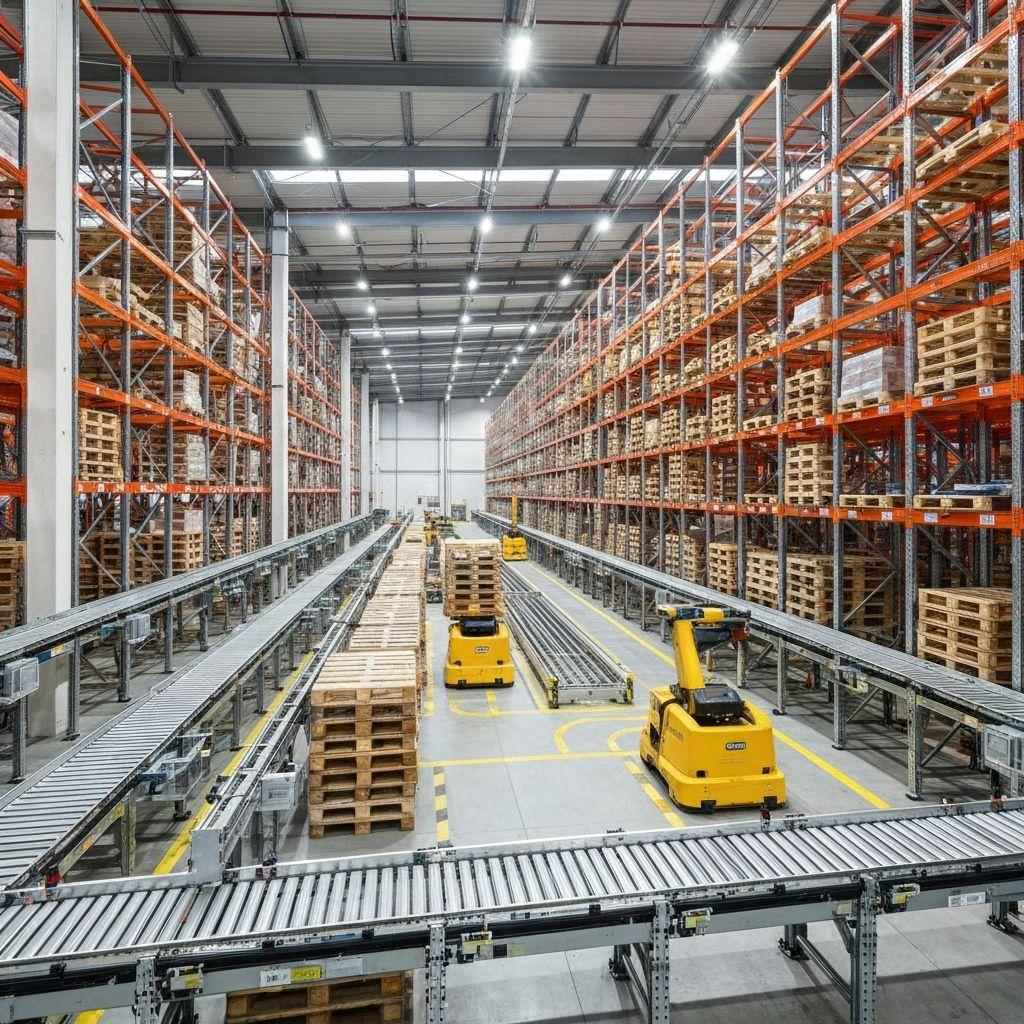
Computer vision is a field of artificial intelligence that enables software to interpret visual information from images and videos. In a warehouse, cameras can capture activity around shelves, racks, pallets, conveyors, storage areas, and dispatch zones.
Computer vision models analyse these images to detect objects, recognise visual patterns, track movement, and identify changes in inventory-related scenes.
Depending on the warehouse environment, a solution may support:
Inventory counting: Estimate the number of visible items, cartons, containers, or pallets.
Shelf and rack monitoring: Identify empty, occupied, or incorrectly used storage locations.
Pallet tracking: Monitor pallet movement through defined warehouse checkpoints.
Stock discrepancy detection: Flag differences between observed stock and recorded inventory.
Goods movement monitoring: Identify when products enter or leave designated areas.
Dispatch verification: Compare visible goods against expected shipment quantities.
Inventory reporting: Provide visual evidence and event records for stock reconciliation.
Computer vision does not automatically provide a complete inventory record simply by observing cameras. Reliable inventory visibility depends on camera coverage, product visibility, object identification methods, movement tracking, and integration with operational records.
Why Do Warehouses Need Smarter Inventory Management?
Traditional inventory processes can become difficult to manage as warehouses grow. Common operational challenges include the following.
1. Time-Consuming Manual Stock Counting
Employees may need to count cartons, individual products, or pallets across multiple storage locations. Large inventory audits can interrupt regular warehouse activities and require significant labour.
Automated visual counting at suitable checkpoints can reduce repetitive counting work and help teams verify quantities more frequently.
2. Inventory Mismatches
The physical stock available in a warehouse may differ from the quantity recorded in the WMS or ERP system. Differences can occur because of missed scans, incorrect entries, misplaced goods, or incomplete transaction updates.
Computer vision can provide additional evidence of stock movement and flag potential discrepancies for review.
3. Limited Visibility Across Storage Locations
Warehouse managers may not always have a current view of shelf occupancy, pallet placement, or product movement.
Camera-based monitoring can help identify visible changes in selected locations and highlight areas that may require inspection.
4. Delayed Inventory Updates
When stock updates depend on manual data entry or scanning at specific stages, inventory information may not reflect physical activity immediately.
Connecting visual events to inventory workflows can help teams update records more efficiently, subject to validation and business rules.
5. Difficulty Identifying Operational Bottlenecks
Congested aisles, blocked storage areas, and slow movement between receiving and dispatch can affect productivity.
Video analytics can help identify recurring congestion and movement patterns, giving warehouse managers information to improve layouts and workflows.
How Does Computer Vision-Based Warehouse Inventory Management Work?
A warehouse computer vision solution typically combines cameras, image-processing software, object detection, tracking, business rules, and integration with existing systems.
Step 1: Image and Video Capture
Cameras are installed at appropriate locations, such as receiving docks, storage aisles, conveyor belts, picking stations, or dispatch gates.
Camera placement depends on the use case. For example, counting cartons on a conveyor requires a different view from monitoring pallet occupancy on warehouse racks.
Step 2: Object Detection and Recognition
Computer vision models analyse captured frames to identify relevant objects, such as cartons, boxes, pallets, containers, or products.
Where products look similar, object detection alone may not be enough to identify the exact SKU. Barcode reading, OCR, labels, product classification, or other identification methods may be needed.
Step 3: Object Tracking and Movement Analysis
Tracking algorithms associate detections across consecutive frames to follow visible objects through a monitored area.
For example, the system may track cartons moving along a conveyor or detect a pallet crossing a designated checkpoint. Tracking helps reduce duplicate counts, although overlapping objects and poor visibility can still cause errors.
Step 4: Inventory Rules and Validation
The system applies business rules to interpret detected events.
Examples include:
Count products crossing a defined virtual line.
Flag a pallet entering an unauthorised storage area.
Compare a shipment's observed carton count with its expected quantity.
Identify a potentially empty or incorrectly occupied shelf.
Flag a mismatch between a detected movement and a recorded transaction.
Where the visual evidence is uncertain, the system should send the event for human verification instead of automatically changing inventory records.
Step 5: Dashboard and Alerts
Processed events can be displayed in a warehouse dashboard with relevant information, such as:
Location or checkpoint
Detected product or object category
Estimated quantity
Event date and time
Expected and observed quantities
Discrepancy status
Review status and supporting images
Authorised staff can investigate exceptions and take corrective action.
Step 6: WMS and ERP Integration
The solution can exchange validated events with warehouse management systems, ERP platforms, inventory databases, or dispatch applications through APIs and other supported integration methods.
Integration should account for transaction status, duplicate events, retries, user permissions, and audit logs. This helps ensure that visual detections become useful operational records rather than disconnected camera alerts.
Key Applications of Computer Vision in Warehouse Inventory Management
1. Automated Inventory Counting
Computer vision can count visible products in controlled environments, such as conveyor belts, packing stations, and defined storage checkpoints.
It is particularly useful when items move through a predictable path and camera views provide clear separation between objects.
For dense shelves or stacked cartons, the system may require multiple camera angles, specialised counting methods, or periodic manual verification.
2. Shelf and Rack Occupancy Monitoring
Cameras can analyse designated shelf and rack locations to identify whether spaces appear empty, partially occupied, or full.
This information can help warehouse teams:
Identify storage areas that need replenishment.
Find potentially unused capacity.
Detect changes in shelf occupancy.
Investigate misplaced goods.
Improve storage planning.
Shelf occupancy detection should not be confused with exact SKU-level inventory. Identifying the product and its quantity may require additional visual identification or scanning.
3. Pallet and Container Tracking
Pallets and containers often move through receiving, staging, storage, picking, and dispatch zones.
Computer vision can detect and track these objects at monitored checkpoints, providing visibility into movement and dwell time. When linked with pallet identifiers or warehouse transactions, the system can help teams investigate misplaced or delayed inventory.
4. Receiving and Goods-In Verification
When incoming shipments arrive, computer vision can assist with counting visible cartons, identifying packaging types, and recording visual evidence of unloading.
The observed quantity can be compared with the purchase order, delivery note, or expected receipt.
If the count does not match, the system can flag the shipment for review before inventory is confirmed.
5. Picking and Packing Verification
During order fulfilment, computer vision can help verify visible items at picking or packing stations.
For example, a system may compare detected items against an order's expected contents. Where exact product identification is required, barcode scanning, OCR, or other SKU recognition methods may complement the visual model.
This approach can help reduce packing mistakes and support more consistent order verification.
6. Dispatch and Shipment Verification
Before goods leave the warehouse, cameras can monitor the dispatch area and count visible cartons or pallets passing through a defined checkpoint.
The system can compare the observed count with the dispatch record and flag potential differences.
This is useful for shipment reconciliation, but a camera count should be combined with suitable shipment identification and transaction controls to confirm that the correct goods are being dispatched.
7. Inventory Discrepancy Detection
A computer vision system can identify visual events that do not match expected warehouse activity.
Examples include a pallet moving without a corresponding recorded transaction, an unexpected change in a monitored storage area, or a difference between observed and expected carton quantities.
These events should be treated as potential discrepancies requiring investigation, not automatic proof of inventory loss or employee misconduct.
8. Warehouse Space Utilisation
Computer vision can help measure the use of monitored storage areas and identify recurring congestion around aisles, staging zones, or loading docks.
Warehouse managers can use these insights to review storage allocation, improve traffic flow, and plan capacity more effectively.
Technologies Used in Smart Warehouse Inventory Management
A practical solution may combine several technologies based on warehouse requirements.
Computer Vision and Object Detection
Object detection identifies and locates visible items within images. Models can be trained or configured to recognise relevant warehouse objects, including cartons, pallets, bags, containers, and packaging units.
Object Tracking
Tracking algorithms connect detections across video frames. They help monitor movement and reduce duplicate counting when objects pass through a monitored area.
Optical Character Recognition (OCR)
OCR extracts readable text from labels, packaging, shipping documents, and other visual sources. Its performance depends on image quality, text size, orientation, lighting, and label condition.
Barcode and QR Code Recognition
Barcode or QR code scanning can provide more reliable identification when individual products, cartons, or pallets have readable codes. Combining identifiers with computer vision can improve the connection between physical goods and inventory records.
Edge AI and Cloud Processing
Edge processing analyses video near the camera or within the facility. It can reduce video transfer requirements and support low-latency monitoring.
Cloud processing can provide centralised management, analytics, and model deployment across multiple sites. Some businesses use a hybrid architecture, depending on network capacity, privacy, and operational requirements.
Warehouse Management System and ERP Integration
Integration connects visual detections with existing inventory transactions, purchase orders, picking lists, and dispatch records. APIs, event queues, and database interfaces may be used according to the existing system architecture.
Analytics Dashboards and Alerts
Dashboards help teams monitor counts, exceptions, processing status, and operational trends. Alerts should prioritise actionable discrepancies rather than generating excessive notifications.
Benefits of Computer Vision for Warehouse Inventory Management
Improved Inventory Visibility
Visual monitoring provides additional information about goods at selected checkpoints and storage areas. This can help warehouse managers understand where stock is moving and where further verification is needed.
Reduced Manual Counting Work
Automated counting can reduce repetitive manual tasks in suitable environments, allowing staff to focus on exceptions, reconciliation, and other warehouse activities.
Faster Discrepancy Identification
Comparing detected events with expected inventory transactions can help identify potential mismatches earlier than periodic audits alone.
More Consistent Operational Records
Timestamped events, visual evidence, and structured exception logs can support stock reconciliation and internal reviews.
Better Receiving and Dispatch Control
Visual verification can add another checkpoint when goods enter or leave a warehouse. This helps teams investigate quantity differences before completing related transactions.
Improved Warehouse Planning
Insights into storage occupancy, congestion, and movement patterns can support better decisions about warehouse layout and space utilisation.
Scalable Monitoring
Once a solution is validated for a specific workflow, it can potentially be extended to additional checkpoints, product categories, or warehouse locations. Each expansion should be tested under the relevant operating conditions.
Challenges in Implementing Computer Vision in Warehouses
Although computer vision offers practical benefits, successful deployment requires careful planning.
1. Overlapping and Occluded Products
Products stacked behind one another may not be fully visible. This can cause missed detections or inaccurate counts.
Possible approach: Select suitable camera angles, use additional viewpoints where necessary, and combine visual counting with barcode scans or controlled checkpoint processes.
2. Changing Lighting Conditions
Shadows, reflections, low lighting, and glare can reduce detection accuracy.
Possible approach: Use appropriate industrial lighting, stable camera positioning, and representative training and validation images.
3. Similar-Looking Products
Different SKUs may have nearly identical packaging.
Possible approach: Combine visual classification with barcode reading, OCR, label recognition, or other product identifiers.
4. Fast-Moving Inventory
Fast conveyors and crowded movement paths can make it difficult to separate objects or count them accurately.
Possible approach: Optimise frame rates, camera placement, detection and tracking logic, and the counting zone. Test performance at actual operating speeds.
5. Inaccurate or Duplicate Events
Network retries, repeated detections, or tracking failures can create duplicate or missed inventory events.
Possible approach: Use event identifiers, deduplication rules, confidence thresholds, exception handling, and reconciliation against authoritative warehouse transactions.
6. Integration With Existing Systems
Older warehouse software may not provide suitable APIs or real-time event interfaces.
Possible approach: Review integration options early and define how the system will handle retries, failed updates, audit trails, and transaction conflicts.
7. Privacy and Data Security
Warehouse video may capture employees, visitors, or sensitive operational information.
Possible approach: Apply role-based access, appropriate retention periods, secure transmission and storage, restricted camera views where possible, and clear internal policies.
8. Measuring Real-World Accuracy
Performance in a demonstration may differ from performance in a busy warehouse.
Possible approach: Run a pilot with representative products, lighting conditions, speeds, and overlapping items. Measure missed counts, duplicate counts, processing delays, and exception rates before wider deployment.
How to Implement a Computer Vision Inventory Management Solution
A phased implementation helps businesses reduce risk and validate value before scaling.
Phase 1: Identify the Business Problem
Define the workflow that needs improvement. Examples include counting cartons at receiving, tracking pallets between zones, monitoring shelf occupancy, or verifying dispatch quantities.
Document the current process, pain points, required outputs, and business rules.
Phase 2: Assess the Warehouse Environment
Review camera locations, lighting, network connectivity, object visibility, product packaging, conveyor speed, and operational constraints.
Determine whether existing CCTV footage is suitable or whether dedicated industrial cameras are required.
Phase 3: Define Inventory Identification Requirements
Decide whether the system needs to identify broad object categories, specific SKUs, pallet IDs, or exact quantities.
A solution that counts generic cartons may need a different design from one that must distinguish between visually similar products.
Phase 4: Build and Validate the Computer Vision Model
Collect representative images and videos from the target environment. Annotate relevant objects and events, then train or configure the model and test it on separate data.
Validate the model under realistic operating conditions, including busy periods, unusual packaging, and poor visibility.
Phase 5: Develop Business Rules and Dashboards
Define how detections become operational events. Establish confidence thresholds, exception queues, alert rules, user permissions, and audit logs.
The dashboard should clearly distinguish confirmed inventory transactions from estimated counts or events awaiting review.
Phase 6: Integrate With the WMS or ERP
Map the required data fields, APIs, transaction types, and status changes. Define what happens when the network is unavailable or an inventory update fails.
During the pilot, consider running the solution in observation mode before allowing it to update live stock records.
Phase 7: Run a Pilot and Measure Performance
Deploy the system in a limited area or on one workflow. Compare its output with verified manual counts and existing inventory records.
Correct the most significant errors before expanding the deployment.
Phase 8: Scale and Maintain the Solution
After validation, extend the system to additional checkpoints or warehouse areas. Monitor model performance, camera condition, changes in packaging, and operational exceptions.
Review performance regularly as products, layouts, and workflows change.
Key Metrics for Evaluating Warehouse Computer Vision
Businesses should define measurable success criteria before deployment.
Metric | What It Measures |
Counting accuracy | How closely automated counts match verified counts |
Missed detection rate | How often visible items or events are not detected |
Duplicate count rate | How often an item or event is counted more than once |
Inventory discrepancy rate | Frequency of mismatches between physical checks and recorded stock |
Processing latency | Time between a visual event and the system's output |
Exception resolution time | Time required to investigate and close a flagged issue |
Manual counting time | Labour time required for the selected counting workflow |
System availability | Whether the solution is available when required |
Integration success rate | Proportion of intended events successfully recorded in connected systems |
Metrics should be measured against a baseline. Targets will vary according to product types, camera setup, operating speed, and the business consequences of an incorrect count.
Example: Improving Inventory Visibility in a Distribution Warehouse
Consider a distribution warehouse that handles packaged goods and palletised shipments. Staff currently count cartons manually during receiving and dispatch, while inventory discrepancies are often discovered during periodic audits.
The warehouse introduces computer vision at selected conveyor and dispatch checkpoints.
Cameras detect cartons moving through defined counting zones. The software tracks detections, records timestamped events, and compares observed quantities with expected receiving or dispatch records. When a discrepancy is identified, the dashboard creates an exception for an authorised employee to review.
The warehouse can use these records to investigate quantity differences, reduce repetitive counting, and improve the consistency of its receiving and dispatch checks.
This is an illustrative scenario, not a verified customer result. Actual benefits depend on the warehouse layout, camera coverage, product visibility, model performance, and integration quality.
Future Trends in Smart Warehouse Inventory Management
Computer vision solutions are evolving alongside warehouse automation and connected supply chains.
Potential developments include:
Multi-camera inventory visibility: Combining observations from several cameras to improve coverage of storage and movement areas.
Vision and barcode integration: Connecting visual detections with unique product, carton, and pallet identifiers.
Mobile robotic inventory scanning: Using mobile platforms to inspect selected racks and storage areas.
Predictive operational analytics: Using historical movement and exception data to identify recurring bottlenecks or unusual patterns.
Digital warehouse models: Combining visual observations with warehouse layouts and inventory systems to support operational planning.
Edge-based processing: Analysing video closer to the source to reduce latency and unnecessary video transfer.
These capabilities are most useful when built around clearly defined workflows, measurable outcomes, and reliable inventory data.
Conclusion
Smart warehouse inventory management using computer vision can help businesses improve visibility, automate selected counting tasks, identify potential stock discrepancies, and strengthen receiving and dispatch verification.
The most effective solutions combine suitable cameras, object detection and tracking, product identification, business rules, dashboards, and integration with existing warehouse systems.
Businesses should begin with a specific operational challenge, validate performance in real warehouse conditions, and measure results against verified inventory records. With a carefully planned implementation, computer vision can become a practical part of a more efficient and data-driven warehouse operation.
Looking to improve warehouse inventory visibility? The Unique IT Solution can help businesses explore custom computer vision solutions for inventory counting, object tracking, stock verification, and warehouse process monitoring.
Frequently Asked Questions
1. What is computer vision in warehouse inventory management?
Computer vision uses cameras and image-processing software to detect, count, identify, and track visible inventory-related objects. It can support stock verification, storage monitoring, receiving, and dispatch workflows.
2. Can computer vision automatically count warehouse inventory?
Yes, it can count visible items in suitable environments, such as conveyor belts or controlled checkpoints. Accuracy depends on camera coverage, product visibility, overlapping objects, and the counting method.
3. Can computer vision identify individual products or SKUs?
It can identify products when the visual differences are sufficiently clear and the model has been trained or configured appropriately. Similar-looking SKUs may require barcode scanning, OCR, or another identifier.
4. Can computer vision integrate with a warehouse management system?
Yes. A solution can exchange validated detections and inventory events with a WMS or ERP through APIs or other supported integration methods. The integration must include appropriate validation and error handling.
5. Is computer vision better than barcode scanning?
The technologies serve different purposes. Computer vision can monitor scenes and count visible objects, while barcode scanning can provide reliable identification when a readable code is available. Combining both may be the best option for some workflows.
6. Can existing CCTV cameras be used?
Sometimes. Existing cameras may be suitable if their resolution, angle, frame rate, lighting, and coverage meet the use case's requirements. Dedicated cameras may be needed for precise counting or product identification.